- Platform Engineering
- System Design
- build artifacts
- continuous delivery
- continuous integration
- deployment strategies
- pipeline design
- rollback
CI/CD for Backend Engineers: Pipelines, Artifacts, and Deployment Strategies That Scale
CI/CD for Backend Engineers explains pipelines, artifacts, and safe deploys. See what breaks in production, how to scale builds, and when to roll back.

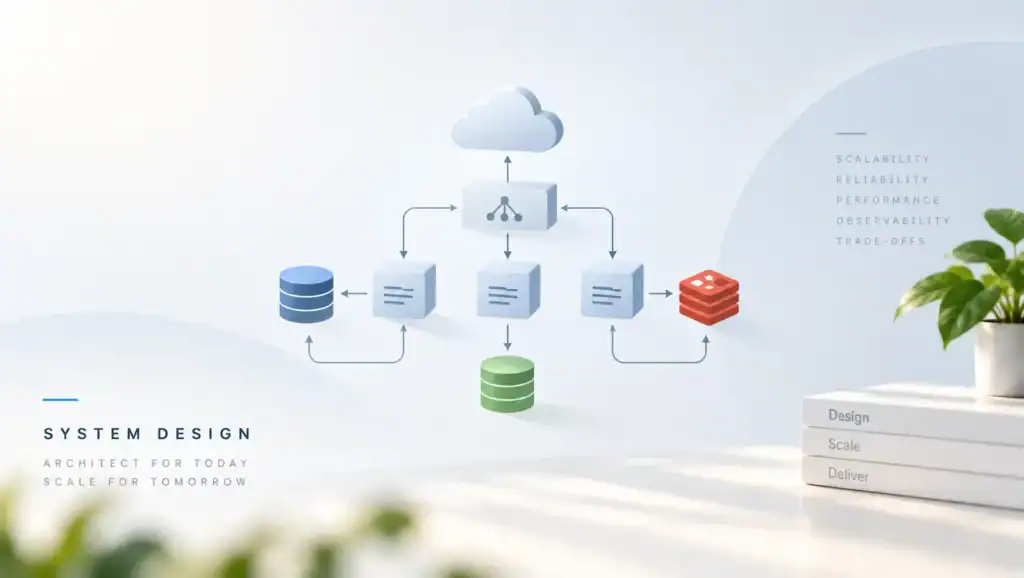
CI/CD for Backend Engineers is the path that takes a commit and turns it into a running service. When that path is slow, flaky, or easy to skip, you ship late or you ship bugs. Therefore you should treat the pipeline as a product you own, not as a script that someone else left behind.
What CI/CD Is and Why It Fails in Production
Continuous integration means every change is built and tested on a shared trunk. Continuous delivery means that same change can go live at any time with a small, known risk. If either half is weak, the other half cannot save you.
In my experience, pipelines fail in production for a few plain reasons. First, the test suite does not match real traffic. Then, the artifact that passed tests is not the artifact that runs in prod. Also, a manual step hides between two jobs, so the path is not the same twice.
A common mistake I have seen is a green build that still breaks users. The unit tests pass, but the schema change is not in the same release as the code. Because the database job runs on a timer, the app starts first and then crashes. After that, the on call engineer rolls back the app, but the schema stays, and the next deploy fails in a new way.
Another failure is speed. When a full pipeline takes more than about 30 minutes, an illustrative production range, people bypass it. They push a hotfix from a laptop. Then the next clean build cannot repeat that hotfix, and you have two truths about what is live.
You also fail when secrets, config, and code drift apart. The image is fine, but an env var is missing in one region. Still, the pipeline reports success, because it only checked the image tag. So you need checks that look at the running system, not only at the git diff.
Architecture and Implementation
A solid pipeline has four stages. First, it builds once. Next, it tests that one artifact.
Then, it promotes the same artifact through stages. Finally, it can roll back to a prior artifact without a rebuild.
Build once and promote the artifact
Build the binary or the image in one job. After that, do not compile again for staging or prod. If you rebuild, you can pick up a new base layer or a new lockfile, and then staging no longer matches prod.
Store the artifact in a registry you control. Tag it with the git commit, not with a floating tag like latest. When you deploy, you pin that tag. Also store the test report next to the artifact so you can prove what passed.
Your Docker images should be the unit you promote. Because the image holds the app and its system libs, the host stays thin. If you also ship a raw binary, pin the OS package set the same way.
Stages, gates, and owners
Split the pipeline into jobs with clear inputs and outputs. A job should fail for one reason that a person can name. When a job does five things, a red build takes too long to read.
Use gates that a machine can judge. For example, block the deploy if tests fail, if a lockfile changed without review, or if a migration is not safe to roll back. Since humans skip soft gates under pressure, make the gate a required check.
Give each stage an owner. The app team owns unit tests and the image. The platform team owns runners, cache, and the deploy tool. If both own the same job, neither fixes it when it flakes.
Deploy strategies that fit the service
Pick a strategy from the shape of the service. A stateless API can use rolling deployments. A database change needs an expand and contract plan. A worker that must not run two copies of the same job needs a drain step before the new code starts.
Blue green keeps the old stack up until the new stack is healthy. It costs more hosts for a short time, but rollback is a traffic shift. Canary sends a small share of traffic first. It needs good metrics, or you will bake a bad release before the alarm fires.
What the pipeline must record
Every deploy should record who, what, where, and when. Store the commit, the artifact digest, the target env, and the result. When an incident starts, this log is the first page you open.
Also record the pipeline version. If the deploy tool changed in the same hour as the app, you need to know which change caused the fault. Because those two changes often land together, split them when you can.
How to Lay Out the Work
Put the pipeline file in the same repo as the service. When the deploy shape changes with the code, the review shows both. If the pipeline lives in a hidden admin repo, app teams cannot see why a deploy failed.
Keep secrets out of the repo. Inject them at run time from a store that audits reads. Then rotate them without a code change. If a secret is baked into an image, you must rebuild and redeploy to rotate it, and old images stay dangerous.
- Lint and unit tests on every push.
- Build one artifact and tag it with the commit.
- Run integration tests against that artifact.
- Deploy to staging and check health.
- Promote the same artifact to prod with a gate.
Trade-offs and Comparison
There is no single best pipeline. You trade speed, safety, and cost. A small team can live with a simple trunk pipeline. A large team needs more gates, and those gates add time.
Hosted CI is fast to start. You pay per minute, and you share runners with noisy neighbors unless you bring your own. Self hosted runners give you cache and private network paths. They also add a fleet you must patch.
| Approach. | When to use it. | What you give up. |
|---|---|---|
| Trunk with short tests. | Many small changes per day. | Long tests must run after merge. |
| Release branch. | You need a freeze window. | Merge pain and drift from trunk. |
| Blue green. | You can afford extra hosts. | Higher cost during the switch. |
| Canary. | You have solid metrics. | Slow feedback if traffic is thin. |
| Manual approve. | Prod change has a high blast radius. | A person can become the bottleneck. |
Choose trunk based flow if you can keep the build under about 15 minutes, an illustrative production range. If you cannot, fix the tests and the cache before you add process. More process on a slow pipeline only hides the delay.
Pitfalls and Failure Modes
Flaky tests train people to click rerun. After a few weeks, a red build means nothing. Fix or delete the flake. Do not raise the retry count and walk away.
Shared mutable state is another trap. Two builds that write the same cache key can poison each other. Then a green main build is not green on the next run. Use build caching with keys that include the lockfile and the toolchain.
Partial deploys fail in quiet ways. Three of five hosts take the new image, and two stay old because a pull timed out. If your health check only looks at one host, you will call the deploy done. Check the count of hosts on the new digest before you finish the job.
Secrets in logs are common. A debug flag prints the env. The log store keeps it for months.
Treat the pipeline log as public to your whole company. Mask secrets, and do not pass them on the command line where the process list can show them.
Rollback is a feature, not a hope. Practice it. Your rollback strategies should put the last good artifact back without a rebuild.
If rollback needs a new commit, you do not have rollback. You have a second deploy under stress.
Lockfiles drift when one job updates them and another job ignores them. Pin dependency lockfiles in the build. If the lockfile changes, fail the job unless that change is the point of the commit.
A Practical Pipeline Example
The sketch below is a simple trunk pipeline. It builds one image, tests it, and then deploys that same tag. When a step fails, later steps do not run. You can map this shape to the GitHub Actions docs or to the Jenkins Pipeline docs.
stages:
  - build
  - test
  - deploy

build:
  script:
    - docker build -t registry.example.com/api:${GIT_SHA} .
    - docker push registry.example.com/api:${GIT_SHA}
  artifacts:
    image: registry.example.com/api:${GIT_SHA}

test:
  needs: [build]
  script:
    - docker run --rm registry.example.com/api:${GIT_SHA} ./ci/test.sh

deploy:
  needs: [test]
  script:
    - deploy --env prod --image registry.example.com/api:${GIT_SHA}
    - deploy --wait --timeout 120
  rules:
    - if: branch == main
Note what this sketch does not do. It does not rebuild for prod. It does not use a floating tag.
It waits until the new pods are ready. If you add a migration, put it in its own job before the app deploy, and make it safe to run twice.
Performance, Scale, and Cost
Pipeline cost is mostly minutes of CPU plus time that engineers wait. When you pay a vendor per minute, a test that boots a full cluster on every commit will dominate the bill. Move that test to a nightly job or to a small set of merges.
Cache the parts that change less than the code. Package downloads and base layers are the usual win. Still, a wrong cache key can make you ship old code, so key the cache on the lockfile. Read the cost as both dollars and minutes of wait.
At scale, the runner pool becomes a queue. If the queue is longer than the build, you hired more people than the CI can serve. Add runners, or cut work per build. Also split test shards so one slow file does not hold the whole job.
We once hit a bottleneck when every service shared one deploy agent. A lock in that agent made deploys wait in a line. The fix was a lock per service, not a global lock. After that, a slow service no longer blocked the rest.
Plan capacity for incident days, not for the average Tuesday. During an outage you will rerun jobs, roll back, and ship a fix at the same time. If the queue is already full, the fix waits. Keep headroom, or have a fast lane for hotfix branches that still run the same required tests.
The Google SRE chapter on release engineering makes the same point in a larger setting. Release work is engineering work. If you starve it, the failure shows up as user pain, not as a line item you chose.
Key Takeaways
- Build once, then promote that same artifact through every stage.
- Keep the main path fast, or people will bypass it under pressure.
- Make gates machine checked, and give each stage a clear owner.
- Treat rollback as a tested path, not as a hope during an incident.
- Key caches and lockfiles so two builds cannot poison each other.
- Record commit, digest, target, and result for every deploy.
- Size the runner pool for incident days, not only for a calm week.
FAQ
How many stages should a backend pipeline have?
Start with build, test, and deploy. Add a stage only when it blocks a real failure you have seen. If a stage does not change a decision, it adds wait and noise. When the path grows past what one person can explain, split the pipeline by service.
Should every commit deploy to production?
Only if you can detect a bad release and roll it back fast. If your tests are thin or your rollback is a rebuild, stop at a staging gate. You can still deploy many times a day. The rule is that prod stays a choice you can undo.
Where should database migrations run?
Run them in the pipeline, in a job you can retry safely. The migration should work with the old app and the new app for a short time. If it does not, you cannot roll the app back. Ship the expand step first, then the code, then the cleanup step.
What is a good build time target?
Aim for a main build that finishes in about 10 to 15 minutes, an illustrative production range, for a typical service. Longer paths need a clear reason, such as a large integration suite. If the wait grows each month, fix cache and test scope before you add more checks.
CI/CD for Backend Engineers works when the path from commit to prod is repeatable, fast enough to use, and safe to undo. Pick one service you own. Next, make it build once, pin the artifact, and write down the rollback steps. Then run that rollback in a staging drill this week so the first time is not during an incident.
Related: Setup CI-CD Pipeline in AWS
Related articles
HTTP/2 vs HTTP/3: Multiplexing, QUIC, and Real-World Performance
HTTP/2 vs HTTP/3 compares streams, head-of-line blocking, and QUIC so you can pick a protocol that stays fast…
Microservice System Design
Executive Summary: Splitting a monolith into services without design discipline trades one problem for distributed complexity. I cover…
Semantic Versioning in Practice: Breaking Changes, Deprecation, and Trust
Semantic Versioning in Practice shows how you mark breaking changes, deprecate old APIs, and keep the trust of…