Rolling Deployments: Zero-Downtime Releases, Health Checks, and Rollback Planning
Rolling Deployments replace instances in small batches so users stay online. Learn health gates, batch size, and how to plan a clean rollback in prod.

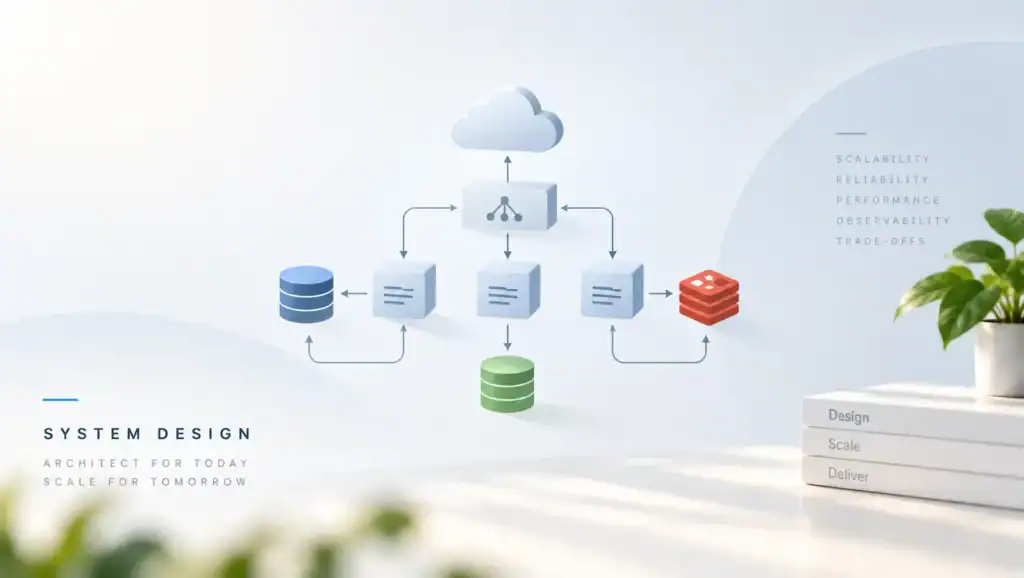
Rolling Deployments replace old instances with new ones in small batches. When a batch fails its health gate, you stop before the bad build takes the fleet. Also, users stay on the mixed fleet, so old and new code must work at the same time. Therefore, a rolling release is a compatibility problem, not only a scheduler setting.
If you roll the whole fleet at once, you do not have a rolling deployment. Still, many configs claim zero downtime while they surge too little capacity to serve traffic. In my experience, the outage starts when the new pods fail readiness and the old pods are already gone.
What a Rolling Release Is and Why It Fails.
A rolling deployment updates a subset of tasks, waits until they are healthy, then moves to the next subset. When this works, capacity stays above the traffic you must serve. If the new tasks never become ready, the controller should leave the old tasks in place. As a result, failure stays partial instead of total.
The pattern fails when the gate is wrong or the budget is too thin. For example, a process can open a port before it can answer real requests. Then the load balancer sends traffic to a task that times out. Consequently, error rate climbs while the rollout continues, because the platform still sees a healthy port.
Version skew is the other failure. During the roll, callers on the old build talk to servers on the new build, and the reverse also happens. If the new build requires a field the old build does not send, those calls fail. Since the window can last minutes or hours, you must design for overlap on purpose.
Stateful work makes the overlap longer. A queue consumer on the new build can change a message that an old worker still understands poorly. Also, a cron job that you forgot to include in the rollout can write with the old code. Although the API looks updated, the system is not on one version yet.
The Kubernetes deployment docs describe max unavailable and max surge for this loop. However, the same idea applies to virtual machines, functions with aliases, and process supervisors. If your platform hides those knobs, you still need to know how many old tasks can die at once.
How to Implement the Roll.
Start from capacity, not from a default batch size. First, know the minimum tasks that can serve peak traffic in this window. Next, decide how many extra tasks you can start.
Then set the batch so that healthy tasks never drop below that minimum. Finally, pause when health or user facing errors move the wrong way.
Health Gates Before Traffic.
Readiness is the gate that should control the roll. When a task is ready, it can accept work. When it is not, it must stay out of rotation. Also, wire that signal to real checks, which is the point of health checks and of liveness and readiness probes.
Do not use liveness as the rollout gate. If a slow start fails liveness, the platform restarts the task and the roll never finishes. Since startup can include cache warm and migration locks, give startup its own budget. Then let readiness flip only after the task can do useful work.
Batch Size, Surge, and Pause.
Surge means you start new tasks before you stop old ones. If you have spare capacity, surge keeps the error budget safer. When the cluster is already full, surge cannot help, and the roll will evict tasks first. Therefore, either reserve headroom or lower the batch until the math works.
Pause between batches and read the signals. A good pause checks error rate, latency, and saturation, not only a green process probe. The canarying releases workbook explains why a small early batch teaches you more than a fast full roll. Also, automate the pause so a human does not have to stare at the clock.
Session and connection behavior matters during the swap. If you kill a task with open requests, users see errors even though the new tasks are healthy. Because of that, stop traffic first, then wait for the drain window, then exit. Specifically, set the drain time above your longest honest request, and set timeouts so nothing waits forever.
Trade-offs Against Other Release Styles.
Rolling updates are the default because they need no second full environment. You pay with a period of mixed versions. When that mix is unsafe, choose a different style and say why. If the change is a one way data rewrite, a rolling API deploy will not protect you.
Use feature flags when you want the new binary everywhere but the new behavior only for some users. Then the roll only proves that the process boots. After the fleet is on the new build, you can ramp the flag. Meanwhile, keep rollback strategies ready for the case where the new build itself is bad.
| Style. | Extra capacity. | Mixed versions. | Use it when. |
|---|---|---|---|
| Rolling update. | Small surge. | Yes, during the roll. | Old and new code can talk to each other. |
| Canary then roll. | One small slice first. | Yes, but limited at first. | You need a signal before you touch most tasks. |
| Blue green swap. | About double. | Brief, at the cutover. | You can afford a full second stack. |
| Recreate. | None. | No. | Downtime is acceptable, such as a batch tool. |
A common mistake I have seen is a canary that does not match production traffic. The canary gets health checks only, so it looks fine. Then the full roll hits real writes and falls over. Instead, send a slice of real traffic, or do not pretend the canary taught you anything.
The pod lifecycle notes also explain that a task can be running and still not ready. However, dashboards that only count running tasks will hide that gap. In addition, a deployment can look complete while a horizontal scaler immediately replaces tasks with a mix you did not plan.
Pitfalls and Failure Modes.
Most bad rolls come from gates and budgets, not from the idea of batches. If you review the config against live capacity, you catch them early. After an incident, fix the gate that lied, because the next roll will trust it again.
- Set max unavailable high on a small fleet, so one batch removes half the capacity.
- Point the readiness check at a process that always returns success.
- Start the roll during a traffic peak when surge has no room.
- Ship a schema change that old tasks cannot read or write.
- Ignore drain, then in flight requests die as tasks exit.
- Roll every service in one pipeline step, so a bad shared client lands everywhere.
Database changes are the sharp edge. When the new code writes a column the old code does not know, the old tasks can fail or drop data. Also, a lock in a migration can stall the new tasks until readiness fails. Therefore, expand the schema first, roll the code second, and contract the schema last.
Rollback has its own trap during a roll. If half the fleet is new, a rollback starts another rolling update back to the old build. Since that second roll also has mixed versions, you need the same compatibility in reverse. Still, a fast rollback is better than finishing a bad roll out of momentum.
Image pull and startup time can exceed the progress deadline. Then the platform marks the rollout failed and may start a confusing overlap of retries. Because cold pulls are slower, warm the image on the nodes or raise the deadline with evidence. If you raise it without a measure, you will wait longer for a truly dead release.
A Concrete Rollout Config.
Translate the capacity math into the platform settings. First, keep at least the minimum ready count. Next, surge by one batch.
Then wait for readiness before the next batch. Finally, abort when the progress deadline expires.
Use a small first step when the change is risky. If the first batch is healthy for a set window, continue. When error rate rises above the last hour baseline, stop and hold. Also, record the image digest so you roll back to bytes, not to a moving tag.
strategy: rolling
replicas: 12
min_ready_seconds: 30
progress_deadline_seconds: 600
max_surge: 2
max_unavailable: 0
readiness: http /ready
drain_seconds: 45
abort_if:
  error_rate_above_baseline: true
  ready_replicas_below: 12
Here the fleet stays at full ready count because unavailable is zero and surge covers the new tasks. When the cluster cannot place those two extra tasks, the roll waits instead of deleting live capacity. If your minimum is lower than the replica count, you can set unavailable above zero, but do the math in the review.
Performance, Scale, and Cost.
A roll is not free capacity. Surge tasks use CPU, memory, and licenses while old tasks are still up. If you roll often, that headroom is a standing cost. However, the cost of a full second environment is higher, so rolling is usually the cheaper safe default.
Time is the other cost. A careful roll of a large fleet can take a long time if each batch must bake. Since a slow roll extends version skew, very large fleets should roll in zones or cells, not as one global loop. Also, a global lock step makes a bad batch a global event.
An illustrative production range is a few minutes for a small stateless service, and tens of minutes when startup and bake are slow. Therefore, measure pull time, startup time, and time to ready before you set the deadline. Overall, deadlines should come from those numbers plus a margin, not from a template you copied.
Watch the roll itself as a user of the system. First, ready count versus desired count. Second, error rate and latency against the pre roll baseline.
Third, how often rolls pause, abort, or time out. If aborts are common, the gate is noisy or the builds are not fit to ship.
Do not speed the roll by weakening readiness. Although a faster finish looks good in the deploy tool, users pay for the shortcut. When leadership wants faster releases, add surge and better tests, then shrink the bake only if the signals stay quiet.
Key Takeaways
- Rolling Deployments keep users online only when healthy capacity never falls below the traffic you must serve.
- Gate each batch on readiness that checks real work, not on a port that opens early.
- Plan for mixed versions in both directions, because rollback is another roll.
- Surge before you remove tasks, and drain in flight work before the process exits.
- Ship schema in expand, then code, then contract, so old and new tasks can share the data.
- Abort on user facing signals, and roll back to an image digest you have already run.
FAQ
How big should the first batch be?
Start with one task or a small percent when the change is new or hard to reverse. If the service is low risk and well tested, a larger batch is fine as long as capacity holds. Also, the first batch must receive real traffic, or it will not teach you. When traffic is uneven, pick a slice that includes the heavy path.
Can we roll out with no spare capacity?
You can, but then every new task requires an old task to leave first. Since the new task may never become ready, you need a hard stop before too many old tasks are gone. However, that mode is how teams lose a fleet. Therefore, prefer a small surge, or delay the roll until the cluster can place it.
Should database migrations run inside the rolling deploy?
Run compatible migrations before the roll, not as a surprise step in the middle. When a migration takes a lock, new tasks can fail readiness and the roll stalls. Still, the old tasks must keep working during that migration. Finally, avoid destructive schema steps until the old code is gone.
What should stop a rollout automatically?
Stop when ready count cannot return to the safe minimum, or when error rate and latency break the baseline you set. If probes are green but users see failures, trust the users. Also, a stuck progress deadline should fail the roll rather than leave a silent mix. In addition, page a human when the abort fires, because the next choice may be a rollback.
Write down the minimum ready count for the next service you ship, then set surge and unavailable so that count holds. Next, point the batch gate at a readiness check that fails when the real dependency fails. After you roll once, time the drain and the startup, and fix the deadline to match. That loop is what makes a rolling release zero downtime in practice.
Related articles
HTTP/2 vs HTTP/3: Multiplexing, QUIC, and Real-World Performance
HTTP/2 vs HTTP/3 compares streams, head-of-line blocking, and QUIC so you can pick a protocol that stays fast…
Microservice System Design
Executive Summary: Splitting a monolith into services without design discipline trades one problem for distributed complexity. I cover…
Semantic Versioning in Practice: Breaking Changes, Deprecation, and Trust
Semantic Versioning in Practice shows how you mark breaking changes, deprecate old APIs, and keep the trust of…
[…] rolling deployments, half the fleet may still be old. Any strategy that needs a flag day will fail in that window. If […]
[…] you change code that takes these locks, ship it with rolling deployments so old and new workers agree on lock order. A mixed fleet that locks in two orders will cycle until […]
[…] Deployment owns ReplicaSets. A rollout creates a new ReplicaSet and scales the old one down. Your rolling deployments should set max unavailable and max surge so capacity never falls below a floor you […]
[…] the plan to rolling deployments when you do not keep a second stack. The reverse roll must use the same health gates. If the old […]
Batch size and health gates matter more than the fancy blue-green talk we usually have in meetings.