How to Migrate from SQL to MongoDB: A Practical Playbook
A phased playbook to migrate from SQL to MongoDB: access patterns, document design, ETL, sync, validation, cutover and rollback planning.

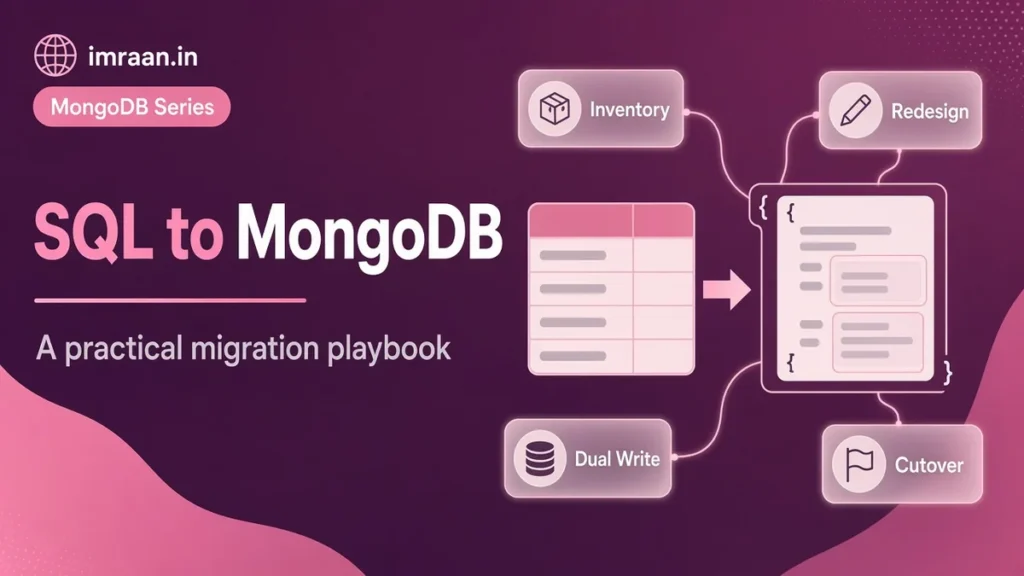
The teams that struggle to migrate SQL to MongoDB are usually the ones that treated it as a data copy. One table becomes one collection, foreign keys become ids, and the application keeps issuing the same queries through a new driver. The result is a slower system that has lost joins and constraints and gained nothing. Here I write about the playbook I follow instead, phase by phase. It comes with the code and checks that keep a migration honest.
Before any of it, be clear on why. My post on SQL vs NoSQL covers the trade-offs in general terms. This one assumes you have a concrete reason and walks through the work.
Should You Migrate SQL to MongoDB at All?
Some reasons hold up. The data is naturally hierarchical or varies in shape per record, such as product catalogues with category-specific attributes; the application reads aggregates that currently need five-table joins on every request; the schema changes often enough that migrations are a bottleneck; or you need horizontal scale that sharding provides. Reasons that do not hold up: “SQL is old”, “MongoDB is faster” as a general claim, or a team preference with no workload behind it.
A partial migration is often the right answer. Move the service or bounded context that fits documents, such as the catalogue, content or user profiles. Leave strongly relational, heavily transactional parts like the ledger where they are. Two databases have operational cost, but forcing data into the wrong model has a bigger one.
Phase 1: Inventory and Access Patterns
Start from what the application does, not from the schema. I pull the top queries from the database’s own statistics, such as pg_stat_statements in PostgreSQL or the performance schema in MySQL, plus APM traces. Then I build a worksheet:
| Query | Tables joined | Calls per minute | Latency target | Read or write | Transaction? |
|---|---|---|---|---|---|
| Product page | products, prices, attributes, categories | High | Under 50 ms | Read | No |
| Add to cart | carts, cart_items | Medium | Under 100 ms | Write | Yes, 2 tables |
| Search by category | products, categories | High | Under 100 ms | Read | No |
| Nightly price import | prices | Batch | Minutes | Write | Yes, bulk |
The transaction column matters as much as the joins. Every multi-table transaction is a question for the next phase. Can the data it touches live in one document so the write is atomic without a transaction? Write down the reporting queries too. They are the ones forgotten until finance asks why their numbers stopped.
Phase 2: Document Design
Now map each join in the worksheet to embedding or referencing, using the rules from the schema design post. Here is a typical catalogue shape. In SQL:
CREATE TABLE products (product_id INT PRIMARY KEY, sku VARCHAR(32), name VARCHAR(200),
  price DECIMAL(10,2), category_id INT, discontinued TINYINT, created_at DATETIME);
CREATE TABLE categories (category_id INT PRIMARY KEY, name VARCHAR(100));
CREATE TABLE product_attributes (product_id INT, attr_name VARCHAR(50), attr_value VARCHAR(200));
As a document, the product page becomes one read:
{
  _id: 101,
  sku: "BK-101",
  name: "Designing Data Systems",
  price: Decimal128("499.00"),
  category: "Books",
  discontinued: false,
  createdAt: ISODate("2019-05-02T10:00:00Z"),
  attributes: { pages: "616", format: "Paperback" }
}
The attribute table, a classic entity-attribute-value workaround in SQL, becomes a subdocument. I copy the category name in as an extended reference, because every page reads it and it changes rarely. Order lines, by contrast, would embed in the order, while customers stay referenced. The SQL to MongoDB mapping chart is a handy translation of terms and query syntax.
Phase 3: Transform and Load SQL Data Into MongoDB
For simple tables, mongoimport loads CSV or JSON exports directly. With a JSON export small enough to read into memory, a short script with insertMany does the job, as I showed in insertMany in MongoDB via file. For anything that reshapes data, and that is most of a real migration, I write a transform script. The core is a function that turns joined rows into documents:
const { Decimal128 } = require("mongodb");

function toDocuments(rows) {
  const byId = new Map();
  for (const r of rows) {
    let doc = byId.get(r.product_id);
    if (!doc) {
      doc = {
        _id: r.product_id,
        sku: r.sku,
        name: r.name,
        price: Decimal128.fromString(r.price),
        category: r.cat_name,
        discontinued: r.discontinued === 1,
        createdAt: r.created_at,
        attributes: {}
      };
      byId.set(r.product_id, doc);
    }
    if (r.attr_name !== null) doc.attributes[r.attr_name] = r.attr_value;
  }
  return [...byId.values()];
}
The SQL side reads products joined to categories and attributes, ordered by product_id, in batches of a few thousand. Each batch goes to MongoDB as idempotent upserts, so a failed run can simply be restarted:
const docs = toDocuments(rows);
await db.collection("products").bulkWrite(
  docs.map(d => ({ replaceOne: { filter: { _id: d._id }, replacement: d, upsert: true } })),
  { ordered: false }
);
Type mapping is where silent damage happens. DECIMAL must become Decimal128, never a JavaScript number, or prices pick up floating point errors. DATETIME columns without a time zone must be interpreted in the zone the old application used and stored as UTC dates. TINYINT(1) flags become booleans. NULL columns can be omitted or stored as null, but pick one convention, because queries treat a missing field and a null field slightly differently. BIGINT ids beyond 2^53 must be Long values or strings. The BSON types reference lists what is available. Create indexes after the bulk load, using the indexing tutorial and your Phase 1 worksheet to decide which ones.
Phase 4: Keeping SQL and MongoDB in Sync
Unless you can stop writes for the whole migration, the old database keeps changing after the initial load. There are two ways to follow it.
Dual writes have the application write to both databases. It looks simple and is hard to get right. One write can succeed while the other fails, and there is no transaction across the two systems. I only use dual writes for low-volume data, with a reconciliation job that finds and fixes differences.
Change data capture (CDC) reads the source database’s change log and streams changes to MongoDB. A common stack is Debezium reading the MySQL binlog or PostgreSQL WAL into Kafka, then the MongoDB Kafka connector or a small consumer applying changes. The application keeps writing only to SQL until cutover, which keeps it simple.
Either way, the apply step must be idempotent and ordered per key. I carry a version, such as the source log position or an updated-at counter, and refuse to apply older changes over newer ones:
async function applyChange(change) {
  const products = db.collection("products");
  if (change.op === "d") {
    await products.deleteOne({ _id: change.id, sourceVersion: { $lte: change.version } });
    return;
  }
  await products.updateOne(
    { _id: change.id, $or: [ { sourceVersion: { $lt: change.version } }, { sourceVersion: { $exists: false } } ] },
    { $set: { ...change.fields, sourceVersion: change.version } },
    { upsert: true }
  ).catch(e => { if (e.code !== 11000) throw e; });
}
The duplicate key catch is deliberate. When a stale change arrives, the filter does not match the newer document. So the upsert tries to insert a document with an existing _id and fails with code 11000. That failure means “already newer”, which is exactly the outcome we want. I tested this by applying version 5 and then version 4 of the same product. The name from version 5 stayed.
Phase 5: Application Changes
I put a repository layer between the business logic and the database before switching anything (for Node.js services, the choice between Mongoose and the native driver belongs here), so queries live in one place and can be swapped behind an interface. Each SQL query in the worksheet gets a MongoDB equivalent, often simpler because the join is gone. Reporting queries usually become aggregation pipelines, as covered in the aggregation pipeline tutorial. Transactions from the inventory either disappear, because the data now lives in one document, or are rewritten with MongoDB’s multi-document transactions.
Load testing belongs in this phase, not after cutover. Replay a realistic mix of the worksheet’s queries against MongoDB with production-sized data. Then check latency at the percentiles you care about. This is where missing indexes, oversized documents and chatty access patterns show up, while fixing them is still cheap. I also check connection pool sizing, since a service that held a handful of SQL connections may behave differently with a driver pool.
Phase 6: Validate and Cut Over From SQL to MongoDB
Before cutover, prove the data matches. Compare row and document counts, and compare checksums of meaningful aggregates, such as sums of money columns and counts of flags, on both sides:
await db.collection("products").aggregate([
  { $group: {
      _id: null,
      rows: { $sum: 1 },
      priceTotal: { $sum: "$price" },
      discontinued: { $sum: { $cond: ["$discontinued", 1, 0] } }
  } }
]).toArray();
// Compare with: SELECT COUNT(*), SUM(price), SUM(discontinued) FROM products;
Then run shadow reads: the application serves from SQL but also queries MongoDB in the background, and it logs any difference in results. When the difference log stays quiet through a full business cycle, you are ready.
The cutover runbook lists every step with an owner. Freeze writes or switch the write path, let CDC drain and run the final validation. Then flip reads and writes to MongoDB, and watch error rates and latency. The rollback plan matters just as much. Decide in advance what failure looks like, and how writes made in MongoDB after cutover get back to SQL if you have to switch back, usually through reverse CDC or a replay of an application-level change log.
Worked Example: Moving a Catalogue Service
A product catalogue is the textbook candidate, and the plan above maps onto it directly. The access pattern inventory shows the product page as the dominant read, built from four tables. Document design collapses that into one product document with embedded attributes and a copied category name, as in Phase 2. The initial load runs as batched upserts. CDC follows the source tables during the weeks of testing, and shadow reads compare the product API’s output from both stores.
The issues I would plan for in such a project are the ones the playbook calls out: price columns that must stay decimal, timestamps stored in local time in the old schema, search and category pages that need indexes the worksheet did not reveal until shadow traffic hit them, and a merchandising report that read the old tables directly and was nobody’s responsibility. None of these are exotic. They are why the inventory, validation and shadow phases exist.
Decision Framework: Big Bang or Incremental
A big bang cutover, with one migration over a maintenance window, works when data is small enough to copy and validate within the window. It also needs acceptable downtime and few systems depend on the old schema. Incremental migration, with CDC and service-by-service cutover, suits large data, zero-downtime requirements and many dependents. In practice most production migrations end up incremental, because downtime budgets are rarely generous.
Common SQL to MongoDB Migration Mistakes
The mistake I have seen most is mapping one table to one collection and then rebuilding joins with $lookup on every request. Close behind is ignoring the reporting and analytics consumers of the old database, cutting over with no rollback plan, and type mismatches such as money stored as floating point numbers or dates shifted by a time zone.
Frequently Asked Questions
How long does it take to migrate SQL to MongoDB?
It depends far more on application changes and validation than on copying data. Copying even large tables is usually measured in hours; rewriting queries, testing and running shadow traffic is the real timeline.
Can I keep SQL for reporting?
Yes, and it is often sensible. Stream changes from MongoDB back to a SQL warehouse with change streams or the Kafka connector, so analysts keep their tools while the application uses documents. MongoDB’s BI Connector is another route, presenting collections as tables to SQL tools, though I prefer a real warehouse for heavy reporting.
Which tools help migrate SQL to MongoDB?
mongoimport for flat files, custom Node.js or Python scripts for reshaping, and Debezium with the MongoDB Kafka connector for CDC. There is no official tool that designs the documents for you, and I would be wary of one that claimed to. That is because the design has to come from your access patterns rather than your table definitions.
How do I handle transactions after migration?
First see how many disappear because related data now lives in one document, where single-document writes are atomic. The remainder can use MongoDB multi-document transactions on a replica set, ideally kept short and touching few documents.
Pull your top twenty queries from the database statistics or APM this week and build the access pattern worksheet from Phase 1. That list, not the table schema, is the real start of the migration. It will tell you quickly whether MongoDB fits the workload at all, and whether you should migrate SQL to MongoDB for this service.
Last updated on 26 October 2026
Related articles
MongoDB Backup and Restore: mongodump, mongorestore, and What to Test
Back up MongoDB with mongodump, snapshots or managed backup, restore with mongorestore and oplog replay, and test restores…
MongoDB with Node.js: Mongoose vs the Native Driver
Mongoose 5 vs the MongoDB Node.js driver 3: schemas, validation, middleware, populate, lean queries, transactions, and how to…
MongoDB Security Best Practices: Authentication, Authorization, and Network Isolation
Secure MongoDB: enable SCRAM authentication, least privilege roles, bindIp and network isolation, TLS, encryption at rest and auditing.