Adobe Campaign v6 to v7 Migration: What Changes and How to Plan
Plan an Adobe Campaign v7 migration from v6.02: test copy, passwords, security zones, postupgrade checks, SQLData rewrites and a six-week plan.


Upgrading a Campaign Classic build within v7 is routine work. An Adobe Campaign v7 migration from v6 is different. The postupgrade changes schemas and database structure, security rules are tighter, and code that ran happily on v6 can stop the migration completely. I treat it as a small project with its own test environment, plan and sign-off. If you are new to the platform, my overview of the Adobe Campaign Classic architecture explains the server modules this post keeps mentioning.
I am writing for on-premise and hybrid platforms where you run the servers. If Adobe hosts your instance, Adobe runs the technical migration with you, but most of the preparation and testing I describe still falls on your team.
What actually changes in an Adobe Campaign v7 migration
Adobe’s migration overview is the starting point and lists the supported source versions. In practice, the changes that cause work fall into four groups.
Security. In v7, the internal and admin accounts must have passwords, and every connection to the server is checked against security zones defined in serverConf.xml. A platform that relied on open access from the office network will refuse connections until the zones are set.
SQL in expressions. The old SQLData syntax, which let you drop raw SQL into a query condition, is blocked by default. The postupgrade looks for it and fails if it finds it.
JavaScript engine. v7 uses a newer server-side JavaScript engine. Most code runs unchanged, but some loose patterns that the old engine tolerated now throw errors. If your team writes a lot of workflow code, my JavaScript activity guide covers the patterns I use on v7.
Web applications and reports. Identified web applications, mirror pages and reports with custom JavaScript all need checking after the postupgrade.
The order of work
This is the order I follow:
- Install the latest build of your current v6 version on every server. Adobe’s prerequisites page asks for this before migrating.
- Inventory customisations: schemas, workflows with code, web applications, JSSP pages, custom reports, and external integrations.
- Build a test environment from a copy of production.
- Run the migration there, fix everything, and repeat until it is clean.
- Test business processes end to end on the migrated test instance.
- Schedule the production migration with a freeze window and a rollback plan.
- Migrate production, then run the same tests again.
Steps 2 to 5 take most of the time. The production run itself is usually the shortest part.
Building the test environment
The testing page describes the procedure, and I follow it closely. Restore a production backup as the development database, then, before starting any Campaign service, run the freeze script so that workflows and deliveries that were running at backup time do not wake up and start sending from your test instance:
nlserver javascript nms:freezeInstance.js -instance:<instance> -arg:dry
nlserver javascript nms:freezeInstance.js -instance:<instance> -arg:run
The dry run lists what it will do without doing it. I always read that list first. It is a quick inventory of everything that was live in production.
Before migrating, two commands tell you how far your instance has drifted from the standard:
nlserver config -showCustomEntities -instance:<instance>
nlserver config -showDeletedEntities -instance:<instance>
The first lists objects you have added. The second lists standard objects that are missing from the database or file system. Both lists go into the inventory.
Passwords and security zones
Set passwords before the migration, not after. For the internal account:
nlserver config -internalpassword
If you have tracking servers, the internal password must be the same on all of them.
Then define security zones. A zone is a named range of IP addresses with its own rules. Here is a simple example for an office network and the server itself, in serverConf.xml:
<securityZone allowDebug="false" allowEmptyPassword="false" allowHTTP="false"
              allowUserPassword="false" label="Office network" name="office"
              sessionTokenOnly="false" showErrors="false">
  <subNetwork label="Head office" mask="10.20.0.0/16" name="hq"/>
</securityZone>
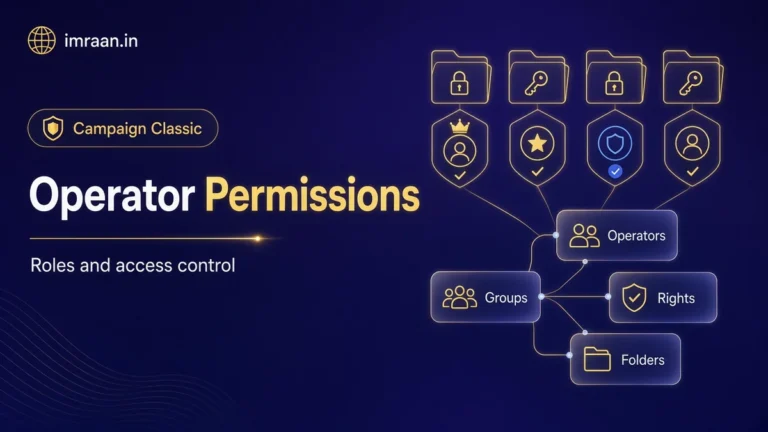
Each operator is then linked to a zone in the console, alongside the rights I describe in my post on operator permissions. The security zones page explains the attributes and how zones nest. My advice is to keep the zones tight from day one. Opening everything during the migration and “tightening later” usually means never.
Running the Adobe Campaign v7 migration on Linux
The Linux migration page gives the full procedure. The main steps for a v6.02 instance are below. Note that the v7 package is still named nlserver6, and it installs to the same nl6 directory.
Stop the web server that runs the redirection module, then Campaign itself, and check nothing is left running:
/etc/init.d/apache2 stop
/etc/init.d/nlserver6 stop
ps waux | grep nlserver
Back up the database, and move the installation directory aside as the neolane user:
su - neolane
mv nl6 nl6.back
Remove the old packages and install v7 as root, for example on Debian:
dpkg --purge nlserver6 nlthirdparty6
dpkg -i nlserver6-XXXX-amd64_debX.deb
Copy the configuration and instance files back, reload the configuration, and run the postupgrade:
su - neolane
cp nl6.back/conf/config*.xml nl6/conf/
cp nl6.back/customer.sh nl6/
cp -r nl6.back/customers/* nl6/customers/
cp -r nl6.back/var/* nl6/var/
nlserver config -reload
nlserver config -postupgrade -instance:<instance>
Also check that trackinglogd is set to start automatically in config-default.xml on tracking servers, because a migration is not a fresh install and the setting may be missing.
On a multi-server platform, the order matters: marketing server first, then the mail servers, then redirection and tracking servers.
The postupgrade check
The postupgrade includes a verification step. If it finds errors, it stops and the migration is not applied. You can run the check on its own, without migrating:
nlserver config -postupgrade -check -instance:<instance>
I run this on the test instance early and often. The output is a list of objects with problems and the expression that caused each one, which makes it a ready-made to-do list.
Rewriting SQLData
The most common error in the check output is SQLData. On v6, people wrote conditions like this to reuse a hand-written SQL query:
<condition expr="@id IN ([SQLDATA[select iRecipientId from NmsSubscription where iServiceId = 1234]])"/>
On v7, the same logic is written as a sub-query in the queryDef, which Campaign turns into SQL itself:
<queryDef schema="nms:recipient" operation="select">
  <select>
    <node expr="@id"/>
    <node expr="@email"/>
  </select>
  <where>
    <condition expr="@id" setOperator="IN">
      <subQuery schema="nms:subscription">
        <select><node expr="[@recipient-id]"/></select>
        <where><condition expr="[@service-id] = 1234"/></where>
      </subQuery>
    </condition>
  </where>
</queryDef>
Adobe’s platform configuration notes mention the allowSQLInjection option in serverConf.xml, which lets old syntax run while you rewrite it. Use it only as a temporary measure on the test instance, and switch it off again once the code is fixed.
After the postupgrade: what else to check
A clean postupgrade does not mean a working platform. The platform configuration page lists several items to check once it has run, and these are the ones that caught me out most often.
Mirror pages. The mirror page personalisation block changed. Messages built with the older block can produce mirror pages that fail to display. The right fix is to insert the current block in your templates. Adobe describes a temporary workaround through the XtkAcceptOldPasswords option, but I would only use it to keep mirror pages for messages already sent working while templates are updated.
Identified web applications. If store managers or partners log in to web applications and suddenly cannot, the documentation points to the allowUserPassword and sessionTokenOnly options on the security zone. Turn them on only for the zone that needs them, and test the login again.
Reports. Standard reports use the newer rendering engine. I open and check custom reports with JavaScript in them one by one.
Conflicts. Where you had modified a standard form, report or web application, the postupgrade can flag a conflict between your version and the new standard version. You resolve these in the console, and each one needs someone who knows why the original change was made.
Message Center. If you use transactional messaging, you need to republish transactional templates from the control instance after migrating it.
Time zones. If your v6.02 instance was not running in multi time zone mode, this is a good moment to plan the switch. Adobe recommends it, and it is easier to test now, on a copy, than later on a live platform.
JavaScript engine changes
The patterns I see break most often:
- Adding an attribute to an XML element after it has been appended with
appendChild. Set attributes first, then append. - Using a non-string value as an object key and expecting the old behaviour. Convert with
String()explicitly. - Reading attributes of non-XML objects with E4X-style syntax. Use
obj["attr"]instead.
None of these are hard to fix, but you have to find them. I search workflow JavaScript activities, JS libraries and web application scripts for appendChild and for code that mixes XML and plain objects, and then run each affected workflow on the test instance.
Worked example: planning one Campaign v7 migration
Here is a hypothetical brief. A retailer runs a single on-premise v6.02 instance on Debian with PostgreSQL, plus one tracking server. They have custom schemas for orders and stores, a set of nightly import workflows with JavaScript activities, two identified web applications for store managers, and a preference centre. They want to be on v7 before their autumn campaigns.
My plan for this team:
Week 1: inventory and test instance. Restore production as the test database, run freezeInstance.js in dry and then run mode, and run -showCustomEntities. Expect the orders and stores schemas, the import workflows, the web applications and the preference centre to show up.
Week 2: first migration run. Set passwords, define one security zone for the office and one for the server, run -postupgrade -check, and record every error.
Weeks 3 and 4: fixes. Rewrite SQLData in the store manager web applications as sub-queries. Fix JavaScript in the import workflows. Test the preference centre and mirror pages with real templates.
Week 5: business testing. Run each nightly import against a day’s file, send proofs of the main templates, and have two store managers log in to their web applications from the office network.
Week 6: production. Announce a freeze, stop workflows, back up, migrate the marketing server, then the tracking server, and repeat the business tests.
The rollback plan is the database backup plus the nl6.back directory. Adobe documents a rollback procedure for returning to the previous version, and I read it before the production run so the team knows exactly what it involves.
Pitfalls I would plan for in a Campaign v7 migration
- Skipping the test environment. In an Adobe Campaign v7 migration, you can only run the postupgrade once on an instance. Finding SQLData in production means a failed migration and a restore.
- Starting services too early. If the database was copied from production and you skip the freeze script, scheduled deliveries can fire from test.
- Forgetting tracking servers. They need the same internal password, and
trackinglogdmust start, or clicks stop being recorded. - Opening security zones wide to get things working. Fix operators and zones properly instead.
Frequently asked questions
Can I go straight from v5 to Adobe Campaign v7?
Yes. Adobe’s migration documentation lists v5.11 as a supported source version for an Adobe Campaign v7 migration. The work is larger, because there are extra steps for web applications, tracking and the folder tree. Read the v5.11 sections specifically.
Does the migration change my database engine?
No. You cannot switch engines during the migration, for example from PostgreSQL to Oracle. You can move to a newer version of the same engine.
Can I use packages to move configuration from v6 to v7?
Moving objects between a test and production instance on the same version works as usual. Adobe notes that importing and exporting packages between v5 and v7 platforms is not possible, so do not plan on that route for older instances.
How long does a production Campaign v7 migration take?
It depends on database size and customisation, and I would not guess without timing a run on the test copy. That timing is one of the best reasons to have the test environment.
Once you are on v7, the first thing most teams do is retrain users on the client console. My next post is a tour of the console for people seeing it for the first time.
Last updated on 26 October 2026
Related articles
Adobe Campaign Classic Operator Roles and Permissions: Access Control Explained
Set up Adobe Campaign operator permissions properly: operators, groups, named rights, folder access and a worked team design.
How to Debug Workflow Errors in Adobe Campaign Classic
How I debug Adobe Campaign workflow errors: journals, SQL logging, stuck activities, common messages and a repeatable triage…
How to Integrate Adobe Campaign Classic with External CRMs and Legacy Systems
How to integrate Adobe Campaign Classic with CRMs and legacy systems: CRM connectors, FDA, file exchange and SOAP,…