MongoDB Security Best Practices: Authentication, Authorization, and Network Isolation
Secure MongoDB: enable SCRAM authentication, least privilege roles, bindIp and network isolation, TLS, encryption at rest and auditing.

MongoDB security has a reputation problem that dates back to the ransom waves that started in 2017, when attackers scanned the internet for open MongoDB servers, copied or deleted the data and left a note asking for payment. Those servers were not hacked in any clever sense. They had no authentication and were reachable from anywhere. Here I write about the controls I put on every deployment, in the order I apply them. I also cover the application-side mistakes that undo good server configuration.
The good news is that defaults have improved. Since 3.6, mongod binds only to localhost unless you change net.bindIp, so a fresh install is not reachable from the network. Most exposed databases today are ones where someone widened that setting to get a connection working and never came back.
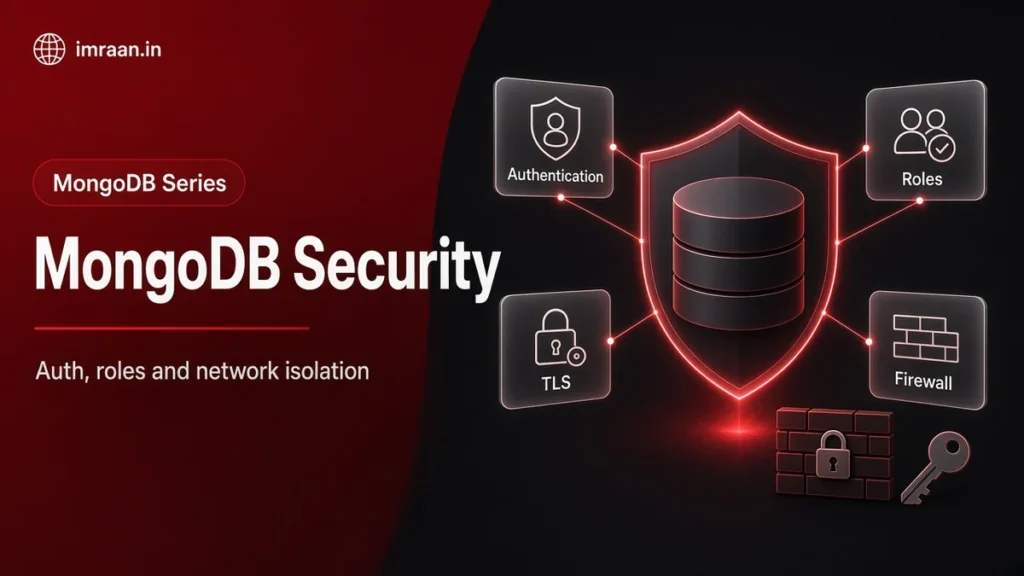
I think about MongoDB security in layers, and each layer assumes the one outside it might fail. The network keeps strangers out, and authentication proves who is connecting. Roles limit what a valid user can do. Encryption protects data if someone captures files or traffic, and auditing tells you when something went wrong anyway. No single layer is enough on its own. Most real incidents I have read about involved two or three of them missing at once.
MongoDB Security Starts With Authentication
Authentication is off by default on self-managed mongod. Turning it on takes a config change and a first admin user:
security:
  authorization: enabled
  keyFile: /etc/mongodb/keyfile
The keyFile line is for replica sets and sharded clusters, where members must authenticate to each other. A keyfile is a shared secret; in larger or regulated environments I use x.509 certificates for internal authentication instead.
With authorization enabled and no users yet, the localhost exception lets you connect from the same machine and create the first user:
use admin
db.createUser({
  user: "imran-admin",
  pwd: passwordPrompt(),
  roles: [ { role: "userAdminAnyDatabase", db: "admin" }, { role: "readWriteAnyDatabase", db: "admin" } ]
})
passwordPrompt() keeps the password out of your shell history. Once the first user exists, the localhost exception closes. The enable authentication tutorial walks through the steps for each deployment type.
Mechanisms, Users and Secrets
The default mechanism has been SCRAM-SHA-256 since 4.0. It is what I use for password authentication. x.509 client certificates are available in every edition. LDAP and Kerberos are Enterprise features, useful when you want database access tied to your company directory instead of local passwords. That way, leaving the company also ends database access.
Each user lives in a specific database, called their authentication database. Clients must name it with authSource in the connection string when it is not the database they connect to. A common source of confusing “authentication failed” errors is a user created in shop while the client authenticates against admin, or the other way round. I keep human administrators in admin and each application user in the database it works with.
For applications, the hard part of passwords is storing and rotating them. I keep them in a secrets manager such as HashiCorp Vault or AWS Secrets Manager rather than in config files. Vault goes a step further with its database secrets engine. It creates a MongoDB user with a fixed role on demand and drops it when the lease expires. Each service instance then gets its own short-lived credentials, and a leaked password stops working on its own within hours.
Authorization With Roles
Authentication answers “who are you”. Authorization answers “what may you do”, and that is where least privilege lives. MongoDB ships built-in roles such as read, readWrite, dbAdmin, clusterMonitor, backup and restore. For applications I usually go one step further with a custom role scoped to the collections and actions the service needs:
use shop
db.createRole({
  role: "orderService",
  privileges: [
    { resource: { db: "shop", collection: "orders" }, actions: ["find", "insert", "update"] },
    { resource: { db: "shop", collection: "customers" }, actions: ["find"] }
  ],
  roles: []
})
Then one user per application and per environment:
use shop
db.createUser({
  user: "order-service-prod",
  pwd: passwordPrompt(),
  roles: [ { role: "orderService", db: "shop" } ]
})
This user cannot drop collections, cannot read the payments collection and cannot create other users. If its credentials leak, the blast radius is two collections. People get personal accounts too, never a shared “dev” login, so the audit trail means something. The built-in roles reference lists exactly which actions each role grants.
Roles drift over time, so I check what an account can actually do rather than trusting what someone remembers granting:
use shop
db.getRole("orderService", { showPrivileges: true }).privileges.length
From the application’s own connection, db.runCommand({ connectionStatus: 1, showPrivileges: true }) reports the authenticated user and every privilege it holds. I run that check in a deployment smoke test, so a service that someone accidentally gave a broader role fails the pipeline instead of going live with it.
Network Isolation for MongoDB Security
Authentication is the lock; network isolation keeps strangers away from the door. Port 27017 should never be reachable from the public internet. I bind mongod to localhost and the private interface only:
net:
  port: 27017
  bindIp: 127.0.0.1,10.0.12.5
Database hosts sit in private subnets, and firewall rules or cloud security groups allow 27017 only from application servers and a bastion or VPN. On Atlas the equivalent is the IP whitelist plus VPC peering. As a result, application traffic stays on private addresses and never crosses the public internet. Binding to 0.0.0.0 and relying on authentication alone means any password weakness or future vulnerability faces the whole internet.
TLS in Transit
TLS encrypts traffic between clients and servers and between cluster members. Since 4.2 the settings live under net.tls; the older net.ssl names are deprecated aliases.
net:
  tls:
    mode: requireTLS
    certificateKeyFile: /etc/mongodb/tls/server.pem
    CAFile: /etc/mongodb/tls/ca.pem
Clients then connect with tls=true:
mongodb://order-service-prod:<password>@db-a.internal:27017,db-b.internal:27017/shop?replicaSet=rs0&tls=true&authSource=shop
Keep certificate validation on. Options like tlsAllowInvalidCertificates exist for testing. They turn TLS into encryption without identity, which an attacker in the middle can exploit. The TLS configuration guide covers certificate requirements and rotation.
Encryption at Rest and Field Level
Encryption at rest protects data files and backups if disks or snapshots fall into the wrong hands. Atlas encrypts storage by default. Self-managed, the WiredTiger encrypted storage engine is an Enterprise feature. On Community, full-disk or volume encryption at the OS or cloud layer is the practical route.
Some fields deserve protection even from people who can query the database, such as national ID numbers or health data. Client-side field level encryption, new in 4.2, encrypts fields in the driver before they leave the application. So the server, its logs and its backups only ever see ciphertext. Keys live in a key vault collection, wrapped by a master key held in a key management service such as AWS KMS or in a local key file for testing. Automatic encryption, where the driver encrypts fields according to a JSON Schema, requires Enterprise or Atlas. Explicit encryption, where your code calls the encrypt and decrypt functions, works with Community. Deterministic encryption allows equality matches on an encrypted field, and random encryption is stronger but you cannot query it at all. So I choose per field based on whether the application ever filters by it.
Auditing and Monitoring
Enterprise and Atlas can write an audit log of authentication events, user and role changes, and optionally CRUD operations:
auditLog:
  destination: file
  format: JSON
  path: /var/log/mongodb/audit.json
  filter: '{ atype: { $in: [ "authenticate", "createUser", "dropUser", "grantRolesToUser" ] } }'
Even without auditing, the server log records failed authentication attempts, and db.serverStatus().connections shows how many clients have open connections right now. I ship logs to a central system and alert on bursts of authentication failures and on anyone creating a new user or role outside a change process.
Application-Side MongoDB Security
A secure server does not help if the application lets users write their own queries. The classic Node.js example is a login route that passes request JSON straight into a filter:
// Vulnerable: a body of { "email": "a@b.com", "password": { "$ne": null } } matches any password
app.post("/login", async (req, res) => {
  const user = await db.collection("users").findOne({ email: req.body.email, password: req.body.password });
  res.json({ ok: Boolean(user) });
});
The fix is to treat input as values, never as query fragments. Cast to the expected type and reject objects:
app.post("/login", async (req, res) => {
  const { email, password } = req.body;
  if (typeof email !== "string" || typeof password !== "string") {
    return res.status(400).json({ error: "invalid input" });
  }
  const user = await db.collection("users").findOne({ email });
  const ok = user ? await bcrypt.compare(password, user.passwordHash) : false;
  res.json({ ok });
});
That version also stops storing plain passwords, which was the deeper bug. Mongoose does not save you here. I cover how it differs from the driver in my Mongoose vs native driver comparison, but on injection it casts values to schema types, but it still accepts query operators in a filter, so User.findOne(req.body) is just as open. As a second layer I add the express-mongo-sanitize middleware. It strips keys that start with $ or contain a dot from the request body, query string and route parameters before any handler sees them. Avoid $where and other server-side JavaScript with user input entirely. If you do not use server-side JavaScript at all, disable it with security.javascriptEnabled: false. Keep connection strings in a secrets manager or environment injected at deploy time, never in the repository.
MongoDB Security Hardening Checklist
Before a deployment goes live I confirm: authentication on with SCRAM-SHA-256 or x.509; no shared or unused accounts; application users on least privilege roles; bindIp limited to private interfaces and firewall rules in place; TLS required with validation on; encryption at rest through Atlas, Enterprise or the disk layer; backups encrypted and access-controlled; the server on a supported, patched release. MongoDB keeps an official security checklist that I compare against each year.
Patching deserves its own sentence because it is the item teams postpone. MongoDB publishes security advisories and fixes in minor releases. Also, each major version has an end-of-life date after which fixes stop. Replica sets make rolling upgrades routine. So I schedule minor version upgrades every quarter instead of waiting for an incident to force one.
Backups need the same care as the live database, as I explain in the backup and restore post. A backup is a full copy of your data that is often stored with weaker controls. I encrypt backup files, restrict who can read the storage bucket, give the backup job a user with only the backup role, and keep a separate restore user that is enabled only during a restore. A database locked down with TLS and roles, whose nightly dump sits in a public bucket, is not secure.
Admin access to the platform itself counts too. On Atlas, the organisation and project owners can change network access lists and create database users. So I require multi-factor authentication for every console user and review project access when people change teams. Self-managed, the equivalent is SSH access to database hosts and the configuration management system that writes mongod.conf.
Decision Framework: Self-Managed or Atlas
The question is who does the work. On Atlas, encryption at rest, TLS, network isolation features, patching and auditing are built in or a setting away. Self-managed gives you full control and can cost less at scale. However, your team owns patching, certificate rotation, the audit pipeline and every config file. If nobody on the team has time for that work, Atlas is the safer choice.
Common MongoDB Security Mistakes
The mistake I have seen most is the application connecting as a root or dbOwner user because it was quick during development. Close behind are credentials shared between services and people, authentication enabled but bindIp set to 0.0.0.0 on a public host, and skipping TLS inside a VPC on the assumption that the private network is trusted.
Frequently Asked Questions
Is MongoDB secure by default?
Partly. Since 3.6 it listens only on localhost, but authentication and TLS are off until you configure them on self-managed deployments. Atlas enforces authentication, TLS and an IP whitelist from the start.
Should I use SCRAM-SHA-1 or SHA-256?
SCRAM-SHA-256. It is the default since 4.0. SCRAM-SHA-1 remains only for compatibility with old drivers.
Do I need TLS inside a private network?
Yes. People misconfigure private networks and share them with other workloads. Attackers also get in from inside. TLS costs little on modern hardware and removes a whole class of risk.
How do I rotate a user’s password?
For a person, db.changeUserPassword("user", passwordPrompt()) is enough. For an application, I create a second user with the same roles, deploy the new credentials and confirm the old user has no connections. Then I drop it. That avoids any moment where the running application has the wrong password.
Run db.getUsers() on every database today and remove any account that is shared, unused or more privileged than its job needs. If you run replica sets or a sharded cluster, check that internal authentication is on too. The replica sets and sharding posts cover how those members talk to each other.
Last updated on 26 October 2026
Related articles
How to Migrate from SQL to MongoDB: A Practical Playbook
A phased playbook to migrate from SQL to MongoDB: access patterns, document design, ETL, sync, validation, cutover and…
MongoDB Backup and Restore: mongodump, mongorestore, and What to Test
Back up MongoDB with mongodump, snapshots or managed backup, restore with mongorestore and oplog replay, and test restores…
MongoDB with Node.js: Mongoose vs the Native Driver
Mongoose 5 vs the MongoDB Node.js driver 3: schemas, validation, middleware, populate, lean queries, transactions, and how to…