Infrastructure as Code: Principles, Patterns, and Production Anti-Patterns
Infrastructure as Code shows how to define servers, networks, and policy in files. Learn patterns, anti-patterns, drift, and how to review changes safely.

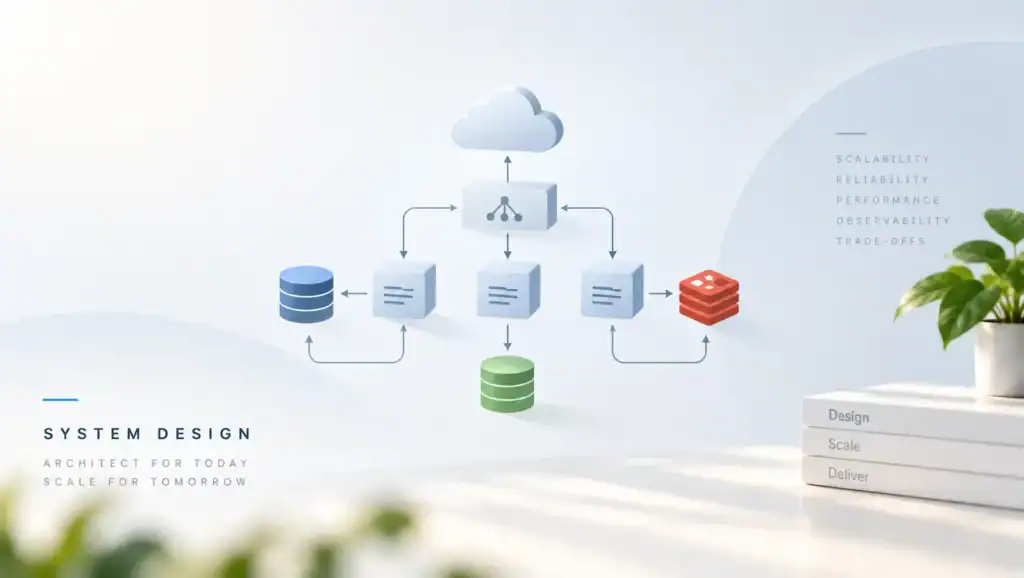
Infrastructure as Code is the habit of defining servers, networks, and policy in files you review. When those files are not the source of truth, the live system drifts and incidents get longer. Therefore you should change infra the same way you change app code.
What It Is and Why It Fails in Production
The idea is simple. You declare the desired shape. A tool makes the real world match, or it tells you it cannot. If people also click in a console, the file lies.
In my experience, this fails in production for a few plain reasons. First, the plan is applied by hand from a laptop, so two people race. Then, state is local and gets lost, so the next run wants to rebuild the world. Also, a module hides a dangerous default, and a one line bump opens a public port.
A common mistake I have seen is a green plan that still drops data. The tool wants to replace a database to change a field that cannot be edited in place. Because the reviewer skimmed a long plan, the replace looked like an update. After the apply, the backup was old, and the restore took hours.
Another failure is environment drift. Staging was clicked into a special shape. Prod was built from the file.
When the app passed staging, prod still failed. Still, the ticket said the envs matched. So you need one path that builds both, with only the inputs changed.
You also fail when secrets live in the repo. A token in a file is forever in git history. Rotate it, and purge the history with care, or the next clone still leaks. Inject secrets at apply time from a store that audits reads.
Architecture and Implementation
Split the system into stacks with clear edges. First, a network stack. Next, a data stack.
Then, a compute stack. Finally, the app deploy, which should consume outputs, not reach into another stack’s guts.
Declarative files and small plans
Prefer a tool that shows a plan before it changes anything. The Terraform language docs and the AWS CloudFormation user guide both work this way. You want a diff a human can read in one sitting.
Keep each stack small enough that the plan fits on a page. If the plan has hundreds of lines, reviewers stop reading. When a stack does one job, a bad change has a smaller blast radius. Also give each stack its own state so a lock in one place does not block the rest.
Your Terraform state is the memory of what the tool created. Lose it, and the tool will try to create duplicates or destroy the wrong object. Store state in a remote backend with a lock and with backups.
Modules, inputs, and outputs
A module should wrap one pattern you repeat, such as a service account plus its role. It should not wrap an entire company. If the module has fifty inputs, it is a second language, and people will bypass it.
Pin module versions. A floating latest tag will change prod on a day you only meant to add a tag. When you bump the pin, read the changelog and read the plan. Do not bump every module in one change.
Pass outputs, not raw IDs copied into a wiki. The next stack should read the network ID from a remote state output or from a data lookup you trust. If a human copies an ID, the copy will rot.
Review, apply, and the path back
Run plan in CI/CD pipelines on every change. Require a review of the plan, not only of the diff in git. The git diff can look tiny while the plan replaces a cluster.
Apply from CI, not from a laptop. Then the logs show who approved and what ran. If apply fails half way, stop and read. Do not click retry until you know which objects changed.
Write the rollback before you need it. Some replaces cannot roll back without a restore. Your rollback strategies should say which stacks are reversible and which need a backup. Practice the restore.
How to Lay Out Repos
Put shared modules in a repo with versions. Put live stacks in a repo that pins those versions. When a module changes, you choose when each stack picks it up. If everyone points at main, you cannot stage the change.
One folder per environment is easier to read than a pile of flags. Prod and staging can share a module and pass different sizes. If a flag maze hides prod only behavior, you will test the wrong path.
- Declare the desired shape in reviewable files.
- Plan in CI and require a human read of the plan.
- Apply from CI with a lock.
- Record the plan, the apply log, and the commit.
- Detect drift on a schedule and fix it in code.
Trade-offs and Comparison
Click ops is fast for a spike and slow for the second environment. Code is slower on day one and faster every day after. The cost is discipline. You must review plans, or the code is theater.
A single tool for everything sounds neat. It often fails when one vendor feature is missing. Mix tools at a clear boundary. Do not let two tools own the same object.
| Approach. | When to use it. | What you give up. |
|---|---|---|
| Console clicks. | A one hour spike you will delete. | No review and no second env. |
| Scripts that only create. | A rare bootstrap. | No update path and no drift view. |
| Declarative stacks. | Anything you must run twice. | Plan review time and state care. |
| Policy checks. | You need to block public data stores. | Rules you must keep up to date. |
Choose declarative stacks for anything that holds data or faces users. If you cannot explain the rollback, do not apply it on a Friday. More automation without a plan review only makes mistakes faster.
Pitfalls and Failure Modes
Drift is the quiet failure. Someone opens a security group to debug, then forgets. The next apply may close it, or the tool may ignore the click, and now you have two truths.
Detect drift daily. Fix the file or revert the click. Do not leave the gap.
Replacements of stateful resources are the loud failure. A name change or a field that forces a new object will destroy data. Mark those fields so a plan that replaces them fails the pipeline unless a human overrides with a reason.
Shared state with no lock lets two applies corrupt the memory of the world. Then the tool is sure an object exists when it does not, or the reverse. Always lock. If the lock sticks after a dead CI job, clear it only after you prove nothing is mid apply.
Count and for_each changes can move indexes and replace resources you meant to keep. When you switch a list to a map, the plan may show a full rebuild. Read it. Do the move in a change that does nothing else.
Kubernetes objects in the same stack as the network make plans huge and risky. Manage the cluster with infra code. Manage app specs with the app deploy.
Your Kubernetes scheduling config can live next to the service. The node pool should not roll because an app label changed.
Importing old clicks without a cleanup leaves dead fields in state. The first apply then surprises you. Import in a change that plans to no action. If the plan is not empty, stop and fix the file until it is.
A Practical Stack Sketch
The sketch below is a small stack with remote state and a lock. It creates one bucket. When you change the name, expect a replace, not an edit. Run plan, read it, then apply from CI.
terraform {
  backend "s3" {
    bucket         = "example-tf-state"
    key            = "prod/logs/terraform.tfstate"
    region         = "us-east-1"
    dynamodb_table = "example-tf-locks"
    encrypt        = true
  }
}

resource "aws_s3_bucket" "logs" {
  bucket = "example-prod-logs"
}

resource "aws_s3_bucket_public_access_block" "logs" {
  bucket                  = aws_s3_bucket.logs.id
  block_public_acls       = true
  block_public_policy     = true
  ignore_public_acls      = true
  restrict_public_buckets = true
}
Note what this sketch does not do. It does not open the bucket to the world. It does not keep state on a laptop.
If you add a lifecycle rule, put it in the same change so the plan shows the full intent. Also block public access in the module so a caller cannot forget it.
Performance, Scale, and Cost
Plan time grows with the number of resources and with API rate limits. A stack that refreshes thousands of objects can take many minutes, an illustrative production range, and it will time out in CI. Split the stack. Cache data lookups that do not change every run.
Apply cost is mostly human time plus the risk of a bad change. A fast apply that replaces a database is the most expensive action you can take. Spend the minutes on review. Do not optimize plan time by skipping the plan.
At scale, module version sprawl is the tax. Fifty services on fifty module versions means you cannot patch a bug once. Keep a supported range. Give teams a deadline to move off an old pin, and show them the plan so the bump is safe.
We once hit a bottleneck when one state file held the whole platform. Every team waited on one lock, and a single bad apply blocked deploys for an hour. The fix was a state per domain. After that, a network change no longer froze the app stacks.
Drift checks have a cost too. A full refresh every hour can hit API limits and hide real alarms in noise. Check the stacks that face users more often.
Check rare stacks daily. Alert when drift touches security groups, public flags, or data stores.
Track the time from pull request to apply. If it stretches to days, people will click in the console again. Speed the path with small stacks and clear owners.
A slow safe path gets bypassed. A fast unsafe path gets feared. You want fast and reviewed.
Key Takeaways
- Make the file the source of truth, and stop click edits.
- Keep stacks small so the plan is readable and the blast radius is small.
- Lock remote state, and never apply the same state from two places.
- Treat a replace of stateful data as a failed plan until a human signs it.
- Pin modules, and bump them in their own change.
- Run plan and apply from CI so the log is the record.
- Detect drift, then fix it in code or revert the click.
FAQ
Should every cloud object live in one repo?
No. Split by ownership and by blast radius. A network team can own the network stack.
App teams can own the objects they must change weekly. If a team cannot review a plan, they should not own that stack.
Is it safe to import existing resources?
Yes if the first plan after import shows no changes. Write the file until it matches live. Then merge. If you import and apply a diff in one step, you will change prod while you meant only to adopt it.
How do I handle secrets?
Keep them in a secret store. Pass references, not values, through the stack when you can. If a value must enter state, restrict who can read state, and encrypt it. Never commit a token to git, even for a moment.
What if two tools both touch one object?
Pick one owner. The other tool should read, not write. Two writers will fight, and the last apply wins at a random time. If you must cross a boundary, pass an ID through an output and stop there.
Infrastructure as Code works when the plan is small, reviewed, and the only way change happens. Pick one stack you own. Next, move its state to a locked remote backend and run plan in CI. Then delete the console path for that stack so drift has nowhere to hide.
Related articles
HTTP/2 vs HTTP/3: Multiplexing, QUIC, and Real-World Performance
HTTP/2 vs HTTP/3 compares streams, head-of-line blocking, and QUIC so you can pick a protocol that stays fast…
Microservice System Design
Executive Summary: Splitting a monolith into services without design discipline trades one problem for distributed complexity. I cover…
Semantic Versioning in Practice: Breaking Changes, Deprecation, and Trust
Semantic Versioning in Practice shows how you mark breaking changes, deprecate old APIs, and keep the trust of…
[…] go stale. If you already did, rotate anything inside it, then purge the file from history. Your infrastructure as code layout should make the remote backend the default so a new stack cannot […]