DDoS Protection for Backend Systems: Layers, Rate Limiting, and Resilience
DDoS Protection for Backend Systems keeps your API up under traffic floods. Learn edge filters, rate limits, autoscaling traps, and how to shed load safely.

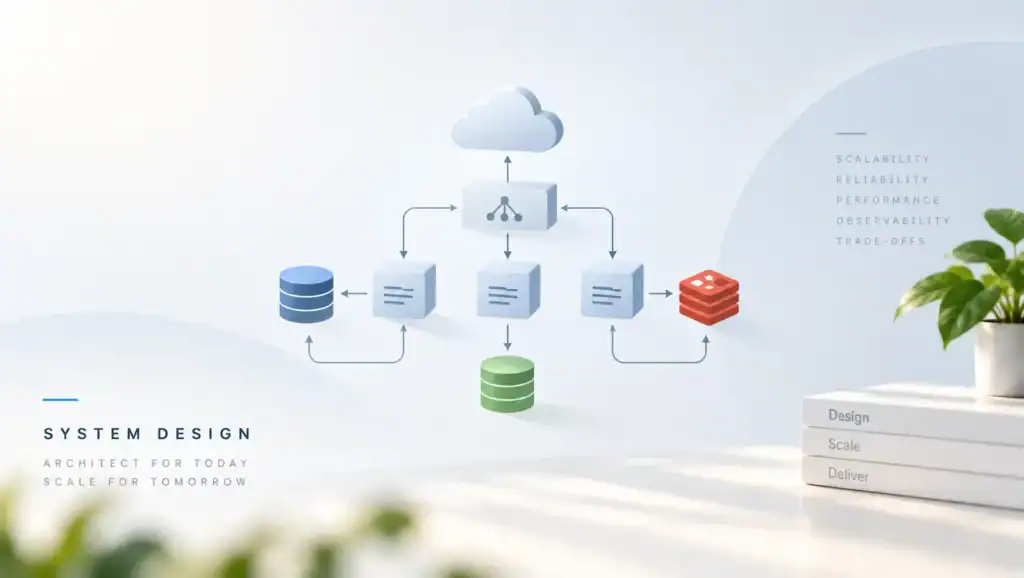
DDoS Protection for Backend Systems is how you stay up when traffic is larger or meaner than your normal peak. It matters because a flood does not need a bug in your code to take the API down. It only needs to fill a queue, a CPU, or a bill. You design for overload on purpose, before the night it arrives.
If you only add servers, you move the failure to the next dependency. Then the database, the login provider, or the bill becomes the outage. Also, a limit that is too tight will block real users who share an address.
What you are defending
A flood can be huge packets aimed at your network, or many cheap HTTP calls aimed at an expensive route. The first kind is absorbed close to the internet edge. The second kind reaches your app unless you rate limit and shed load. Because both can happen on the same day, you need both layers.
In my experience, teams buy an edge product and skip the app limits. However, a small request can still trigger a heavy query. As a result, the edge looks healthy while the database falls over. You should price each route by the work it does, not only by the byte size.
The goal is not to win a fight with every client. The goal is to keep a useful slice of the service up for real users. That means clear drop rules, a cheap health path, and a way to tell a flood from a launch day.
Signals that separate flood from growth
Growth usually raises many routes together and keeps a normal mix of status codes. A flood often hammers one route, one verb, or one query shape. First, graph requests, p99, and error rate per route.
Next, graph unique keys such as user id and source network. If requests soar and unique users do not, treat it as abuse until you prove otherwise.
Still, a product launch can look the same for an hour. Therefore keep a human path to raise a limit when support confirms a real event. Do not let only an auto rule decide your biggest day.
Architecture that holds under load
Use four layers, and name the owner of each. The network edge drops obvious junk and spreads load. The proxy enforces connection caps and request rates.
The app enforces per user and per route budgets. The data tier enforces its own pool and timeout so a flood cannot pile up work.
A common mistake I have seen is a single global rate limit for the whole host. Then one noisy route starves the rest, or a quiet route hides a hot one. Specifically, split limits by route class. Login, search, and write routes should not share one bucket.
Put cheap rejects before expensive work. Check auth and quotas before you open a transaction. If the token is missing, return fast. Also, set a deadline on the request so a slow dependency cannot hold a worker forever.
Roll out limits without a self inflicted outage
- Measure normal peak per route for at least two weeks.
- Set the first limit above that peak, in count or log mode.
- Alert when a client would have been limited.
- Enforce on the noisiest route first, then expand.
- Keep a break glass raise that expires the same day.
When you copy a limit from a blog, you will block a real partner. After you have your own peak numbers, the limit means something. Although the numbers are only an illustrative production range, they beat a guess.
Trade-offs in the limit design
Rate limits protect capacity, and they also create false drops. A token bucket allows a short burst and then a steady rate. A hard window is easier to explain and harsher at the boundary. You should pick one model per route and document the burst.
| Control. | Use it when. | Main risk. | Cost shape. |
|---|---|---|---|
| Edge scrubbing. | The flood is larger than your link. | You depend on a vendor path. | Subscription plus overage. |
| Per IP limit. | Clients have their own addresses. | Shared NAT blocks many users. | Low CPU at the proxy. |
| Per user limit. | Callers have a stable id. | Stolen tokens still spend budget. | Needs a fast key store. |
| Per route budget. | Some handlers are expensive. | A new route ships with no cap. | Low, if defaults exist. |
| Load shed. | Queues or pools are near full. | You drop good traffic too. | Saves the data tier. |
If most users sit behind a carrier NAT, do not rely on IP alone. If you have no user id yet, use IP plus a tight cap and a clear error. Instead of one giant bucket, stack a loose IP cap and a tighter user cap.
Autoscaling is not a shield. It helps with real growth, and it can amplify a flood into more instances and a larger bill. Scale only while error rate and queue time stay inside a bound. Past that bound, shed load and page a human.
Pitfalls and failure modes
Health checks and floods share the proxy. If probes do not have a spare path, a rate rule can mark the service down. Then the platform restarts healthy tasks. Give probes a tiny path that skips the public limit and still checks a real dependency on a slow cadence.
Retries make floods worse. A client that retries at once can triple the load you just tried to shed. Return a status that means try later, and send a wait hint. Also, cap your own outbound retries so one slow dependency does not fan out.
Shared caches can become a weapon if a flood misses on purpose. A stream of new keys evicts the working set. Bound cache key cardinality on public routes. Refuse query strings you do not use.
What good shed behavior looks like
Shed at the edge of the app, with a short response and a stable error code. Do not shed halfway through a payment write if you can avoid it. For read routes, drop early. For write routes, accept only what you can finish, and reject the rest before you open a transaction.
- One route dominates CPU while others stay idle.
- Unique users stay flat while request rate climbs.
- Queue wait grows faster than request rate.
- Autoscale adds tasks and the database gets worse.
- Retry rate rises after you start to shed.
We once hit a bottleneck when a search handler scaled out during a bot flood. Each new task opened a database pool, and the database ran out of connections. The fix was a small pool, a queue cap, and a shed response before the query. The edge product stayed, but it was not the control that saved the night.
Limits fail open when the limit service itself is down. Decide that mode in advance. For a public read, fail open can be right.
For account create or password reset, fail closed is safer. Write the choice next to the route.
A limit config you can adapt
The snippet is a proxy limit for a public API. It gives each source a steady rate and a small burst. Tune the numbers from your own peak, not from this example. Also, keep the health path outside the zone so probes stay honest.
# Illustrative proxy limits. Tune from your real peak.
# Shed with 429 before the request reaches the app.

limit_req_zone $binary_remote_addr zone=read_api:20m rate=10r/s;
limit_req_zone $binary_remote_addr zone=write_api:20m rate=2r/s;
limit_conn_zone $binary_remote_addr zone=conn_api:10m;

server {
    listen 443 ssl;
    server_name api.example.internal;

    location /healthz {
        proxy_pass http://app;
    }

    location /v1/search {
        limit_req zone=read_api burst=20 nodelay;
        limit_conn conn_api 20;
        proxy_pass http://app;
    }

    location /v1/orders {
        limit_req zone=write_api burst=5 nodelay;
        limit_conn conn_api 10;
        proxy_pass http://app;
    }
}
Test the limit in staging with a load tool you control. Expect the extra calls to get a fast reject, and expect the allowed calls to stay fast. Then alert if the reject count stays at zero for a day on a route that should see noise.
The AWS Shield chapter explains edge absorption as a network layer, separate from app rules. The Google SRE chapter on overload is a clear guide to shed load before the queue melts. Read both before you pick a single vendor switch and stop.
Performance, scale, and cost
Cheap rejects are the performance plan. A request you drop in the proxy costs a tiny slice of CPU. A request you drop after a database query costs a connection and a lock. Therefore order the checks from cheap to costly, and measure the drop point in traces.
Edge scrubbing costs money even on quiet days, and it saves you when the flood is larger than your region. App limits are cheap to run and mandatory for expensive handlers. Keep both. Do not pay for body inspection on a route that only needs a rate cap.
At scale, the limit key store must be local or very fast. A remote call on every request becomes the new bottleneck. Use in process buckets for coarse caps, and a shared store only for user budgets that must be global. Also, shard the key so one hot user does not pin one row.
How the layers fit together
Pair this work with a web application firewall for request shape, not for raw volume. Floods and bad payloads are different jobs. A WAF rule will not absorb a packet flood, and a scrubbing center will not fix a heavy query.
Terminate TLS at a tier that can handle handshake spikes, or you will burn CPU before the limit runs. Use IAM roles so only the edge tier can call internal admin routes. Browser policy such as CORS rules does not stop a flood from a script outside the browser. The AWS DDoS resiliency whitepaper walks the same layered picture.
Capacity numbers should be an illustrative production range you revisit each quarter. Write the max steady rate per route, the burst, and the shed threshold. When a new handler ships, it inherits a default budget until an owner raises it with data.
Key Takeaways
- Split network floods from expensive HTTP calls, and defend both.
- Rate limit by route class, not with one global bucket.
- Shed load before you open a transaction or a pool slot.
- Do not autoscale without a cap when error rate is already bad.
- Give health checks a path that does not eat the user budget.
- Make clients back off, and cap your own retries.
- Decide fail open or fail closed per route before the limit store fails.
FAQ
Is an edge product enough on its own?
No. It helps when the flood is huge and blunt. It does not price a route that does heavy work per call. You still need app budgets, pool caps, and timeouts on the data tier.
Should you limit by IP or by user?
Use both when you can. IP limits catch unknown clients and are easy to spoof or share. User limits track the account that pays the cost. If you have no user yet, start with IP and a tight cap on risky routes.
What status should a shed response use?
Use a clear try later status and a short body. Keep it stable so clients can branch on it. Do not return a generic server error that triggers instant retries. Log the reason so you can tell a flood from a bug.
How do you avoid blocking a real launch?
Compare unique users with request rate before you tighten a cap. Keep a time boxed raise that an on call engineer can apply. After the event, put the cap back and write down the new peak.
DDoS Protection for Backend Systems is a set of budgets, not a single product. Pick the most expensive public route you own. Write its normal peak, its burst, and the point where you shed.
Next, enforce that budget in the proxy and in the app. Then cap the database pool so a flood cannot open endless work. After that, test a controlled overrun and confirm the reject is fast, logged, and safe for real clients.
Related articles
HTTP/2 vs HTTP/3: Multiplexing, QUIC, and Real-World Performance
HTTP/2 vs HTTP/3 compares streams, head-of-line blocking, and QUIC so you can pick a protocol that stays fast…
Microservice System Design
Executive Summary: Splitting a monolith into services without design discipline trades one problem for distributed complexity. I cover…
Semantic Versioning in Practice: Breaking Changes, Deprecation, and Trust
Semantic Versioning in Practice shows how you mark breaking changes, deprecate old APIs, and keep the trust of…

[…] fetches with DDoS protection on the way in so a flood of URL jobs cannot queue forever. Use TLS to the partner and verify the […]
Autoscaling into a DDoS and watching the bill climb is a special kind of nightmare.