AI in Email Marketing: For High-Performance Campaigns
Discover how the AI in Email Marketing enables faster content creation, smarter segmentation, and automated variations directly within Campaign workflows.


The Platform You Know, Now Smarter
Adobe Campaign Classic has always been the “Swiss Army Knife” of marketing automation, offering deep customization, robust data handling, and a visual workflow designer capable of managing complex, multi-channel journeys. If you have spent time in ACC, you know how powerful it is when you define the right logic.
What has changed recently is not the platform. It is what is now built into it.
Adobe Campaign v8’s Web UI now ships with a native AI Assistant, powered by Microsoft Azure OpenAI and Adobe Firefly. This is not a third-party bolt-on or a reason to migrate away from Campaign. It is an accelerator layered directly on top of the automation engine you already rely on.
What AI Assistant Does Inside Adobe Campaign
The AI Assistant in Campaign Web is purpose-built for content generation across email, SMS, and push notifications. Here is how it changes the day-to-day for marketers working inside the platform.
1. Generative Content at the Delivery Level
Instead of starting from a blank template, marketers can now prompt AI Assistant directly within the email editor. The system generates:
- Subject lines and preheaders with multiple variations, and control over tone (informative, playful, persuasive) and communication strategy
- Body copy covering full sections or the entire email, generated and refined in context
- Images via Adobe Firefly, with controls for aspect ratio, visual intensity, color, and tone
You can generate content for a single block or the entire email in one pass. Everything happens inside the Campaign delivery workflow, not outside it.
2. Brand Asset Integration
You can upload brand assets, including PDFs, images, and ZIP files, directly into the AI Assistant. Once uploaded, these assets inform every generation, keeping output aligned with your approved messaging, visual guidelines, and tone. The platform also provides a Brand Alignment Score after generation so you can immediately see where a variation drifts from your standards.
3. Variation Testing Without the Manual Work
AI Assistant generates multiple content variations from a single prompt. From the preview panel, marketers can:
- Use a variation as reference content for generating further iterations
- Ask the AI to elaborate on specific points or summarize lengthy content
- Rephrase for different audiences without rewriting from scratch
- Generate content across multiple languages, including French, Spanish, German, Italian, Japanese, and more
This replaces the slow, manual process of writing and testing variants one at a time.
4. Smarter Segmentation and Workflow Optimization
Beyond content, AI capabilities in Campaign v8 extend into campaign intelligence:
- Micro-segmentation based on behavior, interests, and past interactions, going beyond static rule-based lists
- Workflow suggestions that flag optimization opportunities within your existing automation journeys
- Send-time optimization and reporting insights that surface what is working and where to course-correct
The Shift in How You Work
The practical difference for experienced Campaign users is not about replacing what ACC does well. It is about removing the bottlenecks.
| Task | Before AI Assistant | With AI Assistant |
|---|---|---|
| Subject line testing | Write variants manually, run A/B in Campaign | Generate dozens of variants in seconds, apply directly |
| Body copy creation | Start from template, write from scratch | Prompt-driven generation with brand asset context |
| Image sourcing | External design requests | Firefly-powered generation inside the editor |
| Segmentation | Manual rule-based lists | AI-suggested behavioral micro-segments |
| Optimization | Review reports, adjust manually | Intelligent insights with actionable recommendations |
Getting Started: Access and Permissions
AI Assistant in Campaign Web is now in General Availability (GA) and available to all Campaign v8 users, though it does require permission setup:
- In Admin Console, create a product profile with the pattern:
Campaign - <instance-name> - AIAssistant - Add users to that product profile, or via a User Group
- Users must agree to the Adobe Experience Cloud Generative AI User Guidelines before first use
Note that AI Assistant is currently English-only. Non-English prompts may produce inconsistent results.
A Note on Human Judgment
The AI Assistant handles the heavy lifting of content creation, variation, and optimization. But the strategic decisions, the campaign objective, the brand voice, the “why” behind every communication, still sit with the marketer. Adobe’s own guidance is clear: the quality of AI-generated content is directly shaped by the quality of the prompt and the brand assets you provide.
Think of AI Assistant not as a replacement for Campaign expertise, but as the fastest creative collaborator you have ever had, one that already knows your platform, your delivery workflow, and your brand guidelines.
For full documentation, visit Adobe Experience League: AI Assistant in Campaign Web
Related reading: Model Context Protocol, AI agent harnesses, and LangChain 101.
Related: Creating and Automating Workflows in Adobe Campaign Classic
Share this:

Related articles
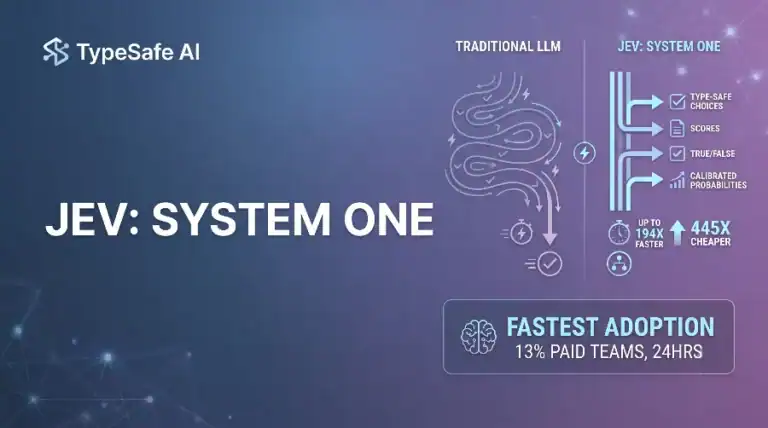
Jev AI Model: The Fastest Adopted Model in AI Gateway History
Jev reached nearly 13% of paid AI Gateway teams unusually fast. Here is what that adoption curve means…
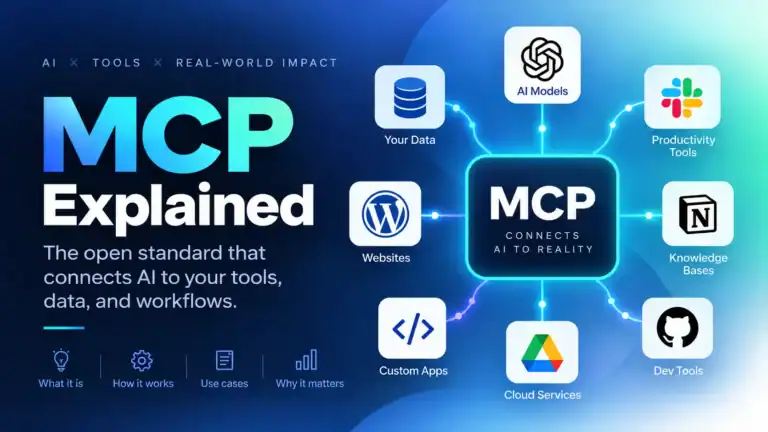
MCP Explained: Model Context Protocol Guide
MCP standardizes how apps expose tools, resources, and prompts to LLMs. I cover architecture, security, and working server…
AI Agent Harnesses, Explained
The model is the brain; the harness is the room it works in. A field guide to loops,…

Passed the AI email marketing notes to a colleague who owns lifecycle sends. They cared about testing loops most.
High-performance campaign ideas were the missing piece after we already had generation wired up.
Personalization without sounding spammy is our recurring debate. Your campaign ideas gave us better guardrails.
Cut two slides from my deck because this covered them. First checklist item is ai email campaigns.