How to Integrate Adobe Campaign Classic with External CRMs and Legacy Systems
How to integrate Adobe Campaign Classic with CRMs and legacy systems: CRM connectors, FDA, file exchange and SOAP, with a worked sync design.

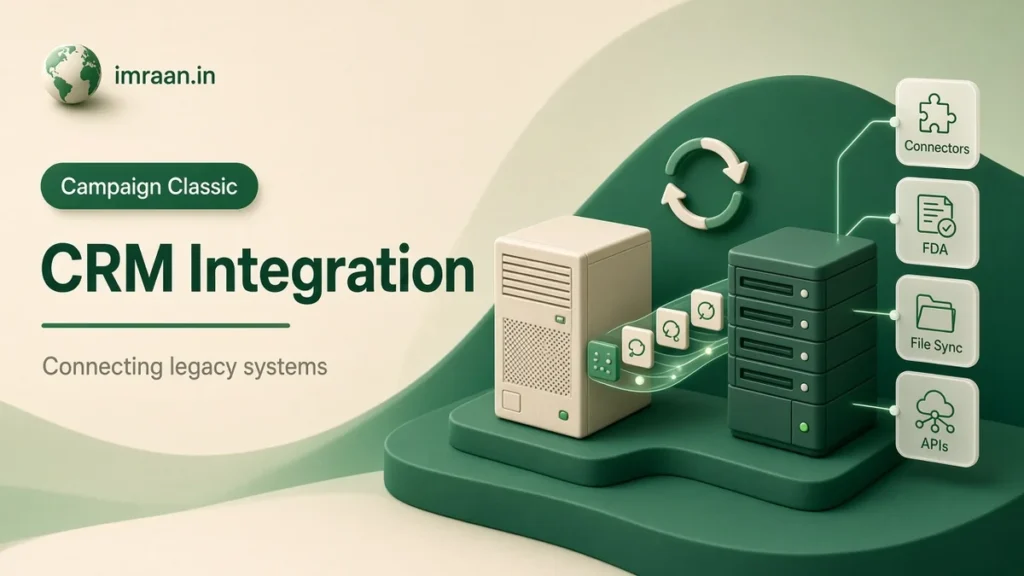
Campaign Classic is rarely the system of record. Customers live in a CRM, orders in an ERP or an older order system, and Campaign needs enough of both to target and personalise. When teams ask me how to integrate Adobe Campaign Classic with CRMs and older systems, the honest answer is that the method matters less than the decisions behind it: which system owns which field, how fresh the data needs to be and what happens when the two disagree.
I’ll walk through four ways to integrate Adobe Campaign Classic with CRMs, my rules for choosing between them, and a worked design for a hypothetical company.
Four ways to integrate Adobe Campaign Classic with CRMs
CRM connectors. A package that connects Campaign to supported CRMs, such as Microsoft Dynamics and Salesforce, through an external account and a workflow activity. The CRM connectors page describes two-way synchronisation of contacts, accounts and other objects.
Federated Data Access (FDA). An option that lets Campaign query tables in an external database as if they were part of its data model. The FDA overview lists the prerequisites: a compatible database, the FDA option and the right permissions on both sides.
File exchange. The source system writes a file, Campaign collects it through an FTP or SFTP external account and loads it in a workflow. Similarly, Campaign writes files back the same way.
SOAP calls. The other system calls Campaign’s web services, or Campaign calls out from a workflow. I cover the API in my SOAP API guide.
All four can work. In fact, most real projects use two or three of them together.
Questions to answer before you integrate Adobe Campaign with CRMs
Before picking a method, I get answers to five questions. They usually decide it.
- Who owns each field? Name and address may belong to the CRM, email preferences to Campaign, and order totals to the order system. Write it down field by field.
- How fresh does the data need to be? A nightly sync is enough for most targeting. Preference changes on the website, however, may need minutes.
- How much data moves? Thousands of changes a day and millions are different problems.
- What happens on conflict? If a customer changes their email in the CRM and unsubscribes in Campaign on the same day, which wins?
- Who is on call when it breaks? An integration that crosses two teams needs an owner on each side.
The first and fourth questions take the most time, because they are business decisions that engineering cannot answer.
CRM connectors: when they fit Adobe Campaign Classic
The CRM connector activity in a workflow can import from the CRM, export to it, import objects deleted in the CRM and delete objects in the CRM, as described in the CRM connector activity page. You select the external account for the CRM and the object to synchronise.
They fit well when:
- The CRM is one of the supported ones and its version is in the compatibility matrix.
- The objects you need are standard, such as contacts and accounts.
- Volumes are moderate, and a scheduled sync is fresh enough.
The limits show with heavily customised CRMs, very large volumes, or when every API call against the CRM is metered. I always check the CRM side’s API limits before committing to a connector-based design. A sync that works in testing can hit those limits in production when a bulk update runs in the CRM.
Federated Data Access: query in place
FDA is attractive because nothing is copied. A query can target or enrich with data that stays in the external database, and Campaign reads it at run time.
The FDA best practices page is clear about the limits, and they match my experience:
- FDA is designed for batch work in workflows, not unitary operations such as a single record lookup.
- You cannot join tables from different data sources in one query.
- Operations that use both databases at once should be avoided. Instead, collect the external data into Campaign first, or push Campaign data out and work there.
I use FDA in two situations. First, to collect order data from a data warehouse into a Campaign work table in a nightly workflow, so targeting has it. Second, to target directly from a large external customer table where copying it into Campaign is not practical. In both cases, the external database team needs to know the query patterns, because a poorly indexed external table makes the workflow slow and the warehouse team unhappy.
File exchange: the legacy system workhorse
For older systems with no API and no compatible database, files are the answer. And honestly, for many modern systems too.
The pattern is the one I describe in my post on importing recipient data: the source system writes a file to an agreed SFTP location, a workflow collects it, loads it, cleans it and updates the database. Exports run the other way.
Why I like files for integration:
- They are easy to inspect. When data looks wrong, you can open the file.
- They decouple the systems. If Campaign is down, the file waits.
- They replay easily. Re-running yesterday’s file is simple.
What they need: an agreed format with a header, a naming convention with a date, a delivery time, and a rule for what happens if the file is missing. A workflow that silently does nothing when no file arrives is a common source of stale data.
Worked example: a CRM and an old order system
The hypothetical brief: a B2C company has customers in Microsoft Dynamics, orders in an older in-house system that can only write CSV files, and email preferences captured on the website. Campaign needs customers, their last order date and total spend, and must send preference changes back to the CRM so the call centre sees them.
Field ownership, agreed first:
| Field | Owner | Direction |
|---|---|---|
| Name, address, phone | CRM | CRM to Campaign |
| Email address | CRM | CRM to Campaign |
| Email opt-out, newsletter subscriptions | Campaign | Campaign to CRM |
| Last order date, total spend | Order system | Order system to Campaign |
Integrations:
- CRM to Campaign, nightly. A workflow with the CRM connector activity imports contacts changed since the last run, then reconciles them to recipients on the CRM contact ID. The CRM ID is stored on the recipient and indexed.
- Orders to Campaign, nightly. The order system writes a daily CSV of order summaries per customer. A workflow collects it from SFTP, loads it, and updates a custom order summary table linked to the recipient by the CRM ID.
- Preferences to CRM, hourly. A workflow selects recipients whose opt-out or subscriptions changed in the last hour and exports them to the CRM through the connector.
- Conflict rule. Opt-outs always win. If the CRM sends a record that would re-subscribe someone Campaign has opted out, the opt-out stays. This is enforced in the import workflow, which never overwrites the opt-out field.
[Scheduler] -> [CRM connector: import changed contacts]
            -> [Enrichment: reconcile on CRM ID]
            -> [Update data: insert or update, opt-out excluded]
            -> [End]
Each workflow has a supervisor, an error transition and a short summary signal to the team when it finishes. On the CRM side, someone owns the connector user and gets alerted if it is locked or its password expires, which is the most common cause of a failed sync I have seen.
Keys and identity when you integrate Campaign Classic
Above all, every integration depends on a shared key. Email address is tempting, because it is always there, but it changes and is sometimes shared. I always ask for a stable ID from the system of record, such as the CRM contact ID, stored on the recipient and indexed.
When there is no shared ID yet, a one-time matching project comes first: load the CRM IDs into Campaign by matching on email, review the unmatched records, then switch the integration to the ID. It takes longer, but every sync after that is simpler.
Monitoring Adobe Campaign Classic integrations once they run
A sync that works on launch day can drift for months before anyone notices. I build monitoring into the design rather than adding it after the first incident.
For each integration workflow, I track three things: whether it ran, how many records it processed and how many it rejected. The counts matter more than the success flag. A CRM import that “succeeds” with zero records every night for a week is a failure, usually because the connector user lost access or the incremental filter is stuck on an old date.
The checks I put in place:
- Volume ranges. If a nightly import normally brings in a few thousand changes and today it brought none, or ten times the usual, the workflow alerts the team before the data is used.
- Reject files. Rejected records are written to a file or table that someone reviews weekly. Rejects that are never read are the same as data loss.
- Freshness. A simple query that shows the most recent update date per source. If the order data is three days old, targeting based on it should wait.
- Reconciliation counts. Once a month, compare the number of active customers in the CRM with the number of linked recipients in Campaign. A growing gap, therefore, points to a matching problem.
None of this is complex, and all of it can be done with standard workflow activities and a small alert email to the team. My workflow best practices cover the error handling that makes these checks useful.
Integration mistakes I see most often
- No agreed field ownership. Two systems overwrite each other.
- Email as the only key. Changes break the link.
- No handling for missing files. Data goes stale quietly.
- Ignoring API limits on the CRM side. Syncs fail at the worst moment.
- Overwriting opt-outs from the CRM. A compliance problem waiting to happen.
Frequently asked questions
Can I use FDA for real-time lookups from a website?
Not in my experience, and Adobe’s guidance agrees. FDA is designed for batch work in workflows. For real-time, use SOAP calls against Campaign or call the source system directly.
Is a CRM connector better than files?
Not always. Connectors save build time for supported CRMs and standard objects. Files are often simpler to run, debug and replay, especially at high volume.
How often should Adobe Campaign Classic sync with CRMs?
As often as the business needs, and no more. Nightly is enough for most targeting. Preference changes usually need to move faster, because a call centre agent should see an opt-out the same day.
What should be the shared key?
A stable ID from the system of record, stored and indexed on the recipient. Email works as a fallback for matching, but not as the long-term key.
Integration is mostly agreement between teams, written down before anyone builds. When you integrate Adobe Campaign Classic with CRMs, the technical work is the easy part once field ownership and conflict rules are settled. The external accounts documentation lists the connection types Campaign supports when you get to the build.
Last updated on 26 October 2026
Related articles
Adobe Campaign Classic Operator Roles and Permissions: Access Control Explained
Set up Adobe Campaign operator permissions properly: operators, groups, named rights, folder access and a worked team design.
How to Debug Workflow Errors in Adobe Campaign Classic
How I debug Adobe Campaign workflow errors: journals, SQL logging, stuck activities, common messages and a repeatable triage…
How to Integrate Adobe Campaign Classic with Adobe Experience Cloud
How I plan Adobe Campaign Experience Cloud integrations: Analytics, Target, Assets, shared audiences and Triggers, and what each…