Adobe Campaign Classic SOAP API Guide: Authentication, Queries, and Integration Patterns
A practical Adobe Campaign SOAP API guide: Logon and session tokens, queryDef, Write, custom methods and integration patterns.

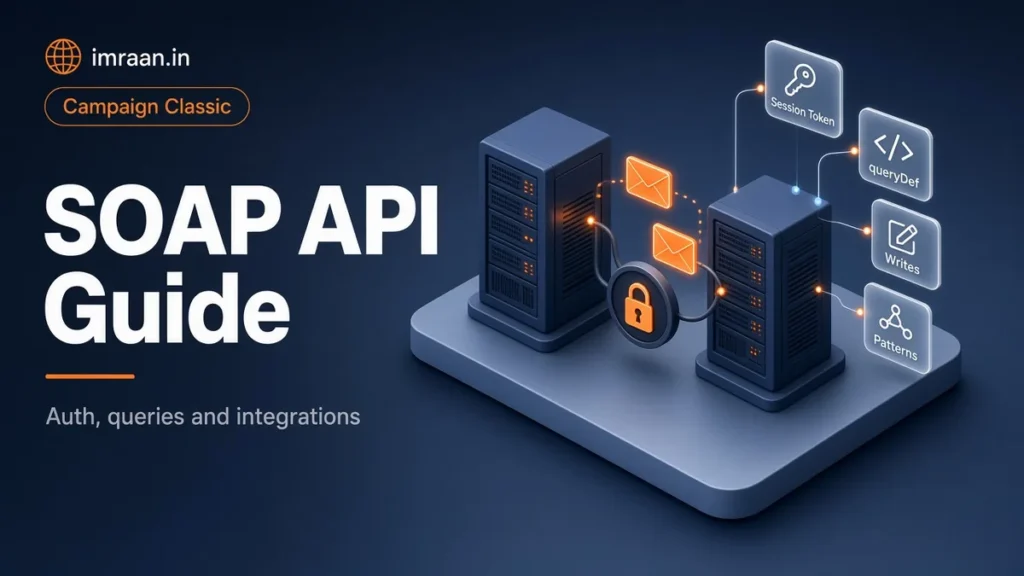
Sooner or later, every Campaign Classic project gets the request: “can the website talk to Campaign directly?” The answer is yes, through the Adobe Campaign SOAP API. Every function of the application server is exposed as a web service, and the console itself uses the same entry point.
I’ll walk through authentication, reading data with ExecuteQuery, writing with Write and WriteCollection, the business methods such as Subscribe, and custom methods in JavaScript. The examples come from one hypothetical brief so you can see how they fit together.
How the Adobe Campaign SOAP API is organised
There is no separate REST layer in Campaign Classic v7 and no dedicated getRecipient function. Methods are declared in data schemas, inside a <methods> element, and the web service calls documentation explains how each one becomes a SOAP operation.
Three facts make the rest easier:
- All calls go to one endpoint:
https://<server>/nl/jsp/soaprouter.jsp. - The SOAP action is
<namespace>:<schema>#<method>, for examplextk:queryDef#ExecuteQuery. - You can generate a WSDL for any schema with
https://<server>/nl/jsp/schemawsdl.jsp?schema=<namespace>:<schema>. Import it into your client tool to see the exact parameter names.
Methods are either static, where you pass every parameter, or const, where the input is an XML document in the schema’s format. ExecuteQuery is const: you send a queryDef document and get the result back.
Authentication: session and security tokens
The recommended mode is to call xtk:session#Logon with an operator’s login and password. The response contains a session token and a security token. Every later call sends both: the session token in a __sessiontoken cookie and the security token in an X-Security-Token header.
Here is the Logon envelope:
<soapenv:Envelope xmlns:soapenv="http://schemas.xmlsoap.org/soap/envelope/"
                  xmlns:urn="urn:xtk:session">
  <soapenv:Header/>
  <soapenv:Body>
    <urn:Logon>
      <urn:sessiontoken></urn:sessiontoken>
      <urn:strLogin>api_website</urn:strLogin>
      <urn:strPassword>********</urn:strPassword>
      <urn:elemParameters></urn:elemParameters>
    </urn:Logon>
  </soapenv:Body>
</soapenv:Envelope>
The response carries pstrSessionToken and pstrSecurityToken. The documentation notes that both tokens have a configurable lifetime, 24 hours by default. I log on once, cache the tokens and log on again when a call fails with an authentication error, rather than logging on for every request.
Securing an Adobe Campaign SOAP API integration
The API can do anything the operator can do, so the operator is the security boundary. My rules:
- One operator per integration, named after the system, such as
api_website. Never a person’s account, and never admin. - Minimum rights. Folder access only to what the integration needs. If it only writes recipients into one folder, that is all it should see. My post on operator roles and permissions covers how.
- Security zones. On-premise, the integration’s IP range should be declared in a security zone so the operator can only connect from there. The security zones documentation explains the configuration. On hosted instances, Adobe manages this with you.
- Credentials in a secret store, not in website code.
Reading data with ExecuteQuery over the Campaign SOAP API
xtk:queryDef#ExecuteQuery takes a queryDef document. The data-oriented APIs documentation describes the full format: select, where, orderBy, groupBy and having.
A lookup of one recipient by email:
<soapenv:Envelope xmlns:soapenv="http://schemas.xmlsoap.org/soap/envelope/"
                  xmlns:urn="urn:xtk:queryDef">
  <soapenv:Header/>
  <soapenv:Body>
    <urn:ExecuteQuery>
      <urn:sessiontoken/>
      <urn:entity>
        <queryDef operation="get" schema="nms:recipient">
          <select>
            <node expr="@id"/>
            <node expr="@firstName"/>
            <node expr="@blackListEmail"/>
          </select>
          <where>
            <condition expr="@email = 'jane.doe@example.com'"/>
          </where>
        </queryDef>
      </urn:entity>
    </urn:ExecuteQuery>
  </soapenv:Body>
</soapenv:Envelope>
Operation get returns one record and fails if there is none. getIfExists returns empty instead, which is what I use for lookups. select returns a collection. count returns a number.
For collections, page the results with lineCount and startLine. Never let an integration run an unbounded select on a large table.
Escape values you put into conditions. A condition built by concatenating raw user input is an injection risk, and queryDef conditions are expressions that become SQL.
Writing data with Write and WriteCollection
xtk:session#Write inserts, updates or deletes a record from an XML document. Campaign reconciles on a key: either the first eligible key in the schema, or the key you force with _key. The operation defaults to insertOrUpdate, and you can force insert, update, delete or none with _operation.
An upsert of a recipient by email, in a specific folder:
<recipient xtkschema="nms:recipient" _key="@email, [@folder-id]"
           email="jane.doe@example.com" folder-id="1203"
           firstName="Jane" lastName="Doe"/>
WriteCollection does the same for several records in one call, inside a <recipient-collection xtkschema="nms:recipient"> element. The call returns nothing except errors, so treat a clean response as success and log any fault in full.
I always set _key explicitly. Relying on the schema’s first eligible key works until someone adds a key to the schema, and then the integration starts reconciling differently.
Business methods: Subscribe, Unsubscribe and SubmitDelivery
Some operations should go through a business method rather than a raw write, because the method applies the rules Campaign expects. The business-oriented APIs documentation covers Subscribe and Unsubscribe on nms:subscription and SubmitDelivery on nms:delivery.
Subscribe takes the internal name of the service, a recipient document with a _key, and a boolean to create the recipient if it does not exist:
<m:Subscribe xmlns:m="urn:nms:subscription">
  <sessiontoken/>
  <service>newsletter_weekly</service>
  <content>
    <recipient _key="@email" email="jane.doe@example.com"/>
  </content>
  <create>true</create>
</m:Subscribe>
This writes the subscription and its history the way the console would. If you write directly into the subscription table, you bypass that, and the reports on subscription history will not match.
Custom Campaign SOAP API methods in JavaScript
When the built-in methods are not enough, you can add your own. The SOAP methods implementation page explains the two steps: declare the method in a schema with a library attribute, and implement it in a JavaScript Code entity with that name.
A method that returns a recipient’s newsletter subscriptions, declared in an extension of nms:recipient:
<method name="GetNewsletters" static="true" library="cus:websiteApi">
  <parameters>
    <param name="email"  type="string" inout="in"/>
    <param name="result" type="string" inout="out"/>
  </parameters>
</method>
And the implementation in the cus:websiteApi JavaScript Code entity. The function name follows the <namespace>_<schema>_<method> pattern:
function nms_recipient_GetNewsletters(email)
{
  // Reject anything that is not a plain email before it reaches the query
  if (!/^[^\s'@]+@[^\s'@]+$/.test(email))
    throw "Invalid email";
  var q = xtk.queryDef.create(
    <queryDef schema="nms:subscription" operation="select" lineCount="50">
      <select><node expr="[service/@name]"/></select>
      <where>
        <condition expr={"[recipient/@email] = '" + email + "'"}/>
      </where>
    </queryDef>);
  var names = [];
  for each (var s in q.ExecuteQuery().subscription)
    names.push(String(s.service.@name));
  return names.join(",");
}
Why a custom method instead of letting the website build the query? It keeps the data model on the Campaign side. The website calls GetNewsletters with an email and gets names back. If the model changes, only the method changes.
Handling errors and SOAP faults
When a call fails, Campaign returns a SOAP fault with an error code and a message. The message is usually specific enough to act on: an unknown schema, a missing right on a folder, an expression the server cannot parse. Integrations that swallow faults and return “something went wrong” are the ones that take days to debug.
I ask integration teams for three things. Log the full fault text together with the method name and the business key, such as the email, so a failure can be matched to a record. Separate authentication faults from the rest, because those are fixed by logging on again, while everything else needs a person. And never retry a write blindly in a loop. A Write that failed because of bad data will fail again, and a retry storm on the application server affects everyone using the instance.
On the Campaign side, the web server logs show the calls. On an on-premise instance, I look there first when a team says “Campaign is not answering”, because it tells me quickly whether the request arrived at all.
Testing an Adobe Campaign SOAP API integration before go-live
I test every integration against a non-production instance first, with the same operator setup as production, so permission problems appear early. A client tool that imports the WSDL is the fastest way to try calls by hand before anyone writes code.
The test cases I always run:
- Logon, then a call after the tokens expire, to prove re-logon works.
- A lookup for an email that does not exist.
- An update for a recipient in a folder the operator cannot see, which should fail.
- A subscription to a service name that does not exist.
- A burst of calls at the expected peak rate, while a workflow runs, to see the effect on the server.
If the integration passes these, it usually behaves in production. If it fails one, the fix is cheap at this stage.
Worked example: a preference centre on the website
The hypothetical brief: a retailer’s website needs a preference page where logged-in customers see and change their newsletter subscriptions and their first name. Changes should appear in Campaign immediately.
My design:
- Operator
api_website, with write access to the web recipients folder only, restricted to the web servers’ addresses. - Session handling in the website’s back end: log on once, cache the tokens, log on again on an authentication fault.
- Read: the custom
GetNewslettersmethod above, plus agetIfExistsquery for the first name. - Update name:
Writewith_key="@email, [@folder-id]"and_operation="update", so a typo in an email cannot create a new recipient. - Subscriptions:
SubscribeandUnsubscribeper service, so history is kept. - Errors: every SOAP fault logged in the website with the method and the email, never the password.
When SOAP is the wrong tool
SOAP calls suit small, real-time operations. They are the wrong tool for bulk data. A nightly feed of a million customers should be a file loaded by a workflow, as I describe in my post on importing recipient data, not a million Write calls. Each call has overhead on the application server, and a busy integration competes with operators and workflows for the same resources.
My rule of thumb: if the data can wait an hour, use a file. If a person is waiting for the answer, use SOAP.
The same thinking applies in the other direction. When Campaign needs data from another system, a workflow that collects a file is usually more reliable than a JavaScript activity making live calls out. Outbound calls tie the workflow to the other system’s availability, and a slow response holds the workflow. Where a live call is genuinely needed, the URL has to be allowed in the server configuration’s URL permissions, and I keep the call in one small, well-logged activity so failures are easy to find. My post on the JavaScript activity covers that side.
Frequently asked questions
Can I log on with a login and password on every call?
It is possible but not recommended. The documentation describes Logon with session and security tokens as the most secure mode. Log on once and reuse the tokens.
How do I find the exact parameter names for a method?
Generate the WSDL for the schema with schemawsdl.jsp and import it into your SOAP client. The element names in the WSDL are what the server expects.
Can I trigger an email from the Adobe Campaign SOAP API?
Yes. For one-off transactional messages, Message Center events are the usual pattern. For a prepared delivery, SubmitDelivery on nms:delivery creates and starts a delivery from a template.
Why does my Write call create duplicates?
Usually because the _key was not set, or it uses a field that does not match the existing data, such as an email in different case. Set the key explicitly and normalise the value before the call.
The API is powerful because it is the same entry point the console uses. I treat each integration as a user with its own account, its own permissions and its own logs. My CRM integration post builds on this for a system-to-system sync.
Last updated on 26 October 2026
Related articles
Adobe Campaign Classic Operator Roles and Permissions: Access Control Explained
Set up Adobe Campaign operator permissions properly: operators, groups, named rights, folder access and a worked team design.
How to Debug Workflow Errors in Adobe Campaign Classic
How I debug Adobe Campaign workflow errors: journals, SQL logging, stuck activities, common messages and a repeatable triage…
How to Integrate Adobe Campaign Classic with External CRMs and Legacy Systems
How to integrate Adobe Campaign Classic with CRMs and legacy systems: CRM connectors, FDA, file exchange and SOAP,…