- Distributed Systems
- System Design
- checkout timeout
- connection storm
- idle session
- max connections
- PgBouncer
- pool size
Connection Pooling Explained: Sizing, Timeouts, and Database Overload
Connection Pooling Explained for teams who see timeouts when load spikes hard. Learn pool size, wait limits, and how to stop a stampede on the database.

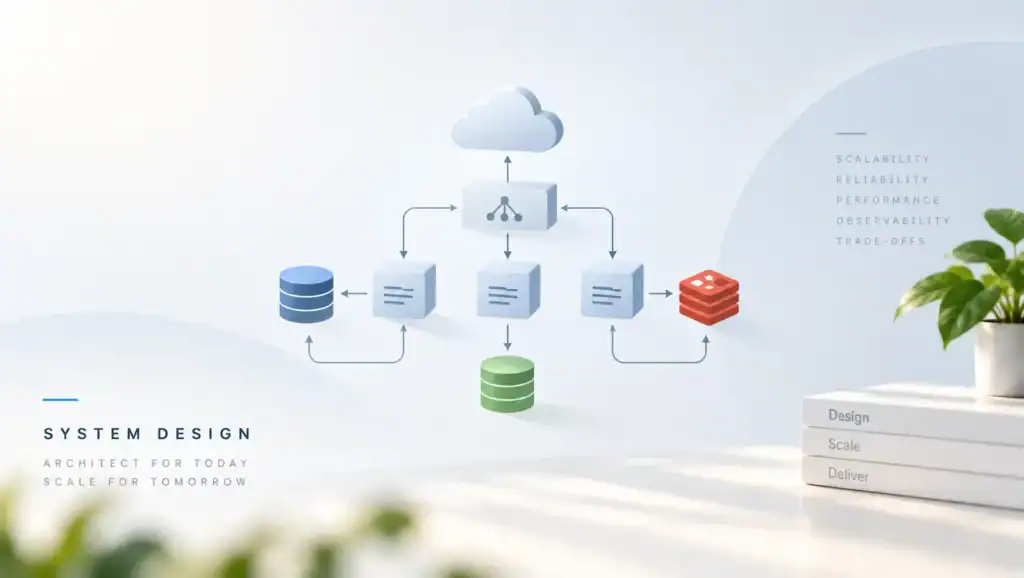
Connection Pooling Explained matters because a database cannot give a fresh session to every request. Opening a connection costs memory and a handshake. A pool reuses a small set of sessions. If you size it wrong, requests wait, or the database falls over from too many backends.
What a Pool Actually Does
A pool is a cache of open database sessions inside the app, or in a proxy in front of the database. A request checks out a session, runs its work, and returns the session. The next request reuses it. You avoid a new TCP handshake and a new backend process on every call.
The database still has a hard cap. PostgreSQL calls it max_connections. Each backend uses RAM.
If every app pod opens its own large pool, the sum can pass that cap. Then new logins fail even though many sessions are idle.
There are two common places to pool. An in-process pool lives in each app instance. A proxy such as PgBouncer sits between the apps and the database and multiplexes many client sessions onto fewer server sessions. You can use both, but then you must count both layers or you will oversubscribe.
The PostgreSQL connection settings document max_connections and related limits. Read them before you copy a pool size from a blog. The right number depends on cores, RAM, and how long each query holds the session.
Why Pools Fail in Production
The usual failure is not a full database. It is a pool that is exhausted because queries got slow. Each request holds a session longer.
New requests wait on checkout until they time out. Users see errors while CPU on the database looks only partly busy.
I have seen this after a deploy that added a chatty read. The SQL was valid. The hold time grew because of N+1 queries.
The pool metric hit its max, and the error rate climbed. The fix was the query shape, not a bigger pool.
A bigger pool can make the next failure worse. More sessions means more concurrent queries. The database spends time switching among them.
Latency goes up, so each checkout lasts longer, so the pool fills again. You added wait, not capacity.
Deploys cause a second failure mode. New pods open their pools at once. Old pods still hold theirs.
For a few minutes the login count doubles. If that sum exceeds max_connections, the deploy takes the database down. Roll out in steps, and set a small pool per pod.
Leaked sessions are quieter. A code path checks out a connection and returns it only on the happy path. After errors, the pool shrinks until every checkout waits. Always return the session in a finally block, including when the work unit rolls back.
How to Size and Time Out
Start from the database, not from the app. Decide how many active backends the primary can run before latency bends. In an illustrative production range, that is often a small multiple of the core count, not hundreds per host. Then split that budget across pools.
A simple split is: active server sessions stay near the core count, and the app pool can be a bit larger to cover checkout. If you run twenty pods, a pool of fifty each is one thousand sessions. That is usually too many. A pool of five to ten per pod is a better start when a proxy sits in front.
Set a checkout timeout that fails fast. If a request waits longer than your API budget, it should error and free the worker. A long checkout timeout piles up threads that all wait on the same pool. The process then runs out of workers before the database does.
Also set an idle timeout so unused sessions close. After a scale-down, you do not want pods to hold sessions they no longer need. Match this with the server idle settings so both sides agree. The PgBouncer config reference names pool_size, reserve_pool_size, and server_idle_timeout.
Transaction mode versus session mode
Session mode pins a server connection for the whole client session. It allows session state such as prepared statements and temporary tables. It does not multiplex well. Use it when the app truly needs that state.
Transaction mode returns the server connection at the end of each work unit. Many clients share fewer server sessions. This is the mode that protects max_connections.
It breaks features that assume session state survives a commit. Test prepared statements and advisory locks before you switch.
The PgBouncer usage guide spells out these modes. Read it when you place a proxy in front of PostgreSQL. Do not assume the app pool and the proxy mode are independent. A session-mode proxy plus a huge app pool recreates the overload you hoped to avoid.
Where the pool should live
Put a small pool in the app so each process reuses connections. Put a proxy in front when many processes would otherwise open too many backends. Serverless and large replica sets are the usual reason. A handful of long-lived services can often live with in-process pools alone.
If you also use read replicas, pool them separately. A single pool pointed at a load balancer can mix a write and a later read on different hosts. That breaks read-your-writes. Use one pool for the primary and another for replica reads.
Trade-offs You Should Weigh
Pool choices trade login cost, fairness, and how hard you hit the database. Use the table when you set the numbers, and write down the budget so the next service does not ignore it.
| Choice | When it fits | Main cost | Failure mode |
|---|---|---|---|
| Small in-process pool. | Few long-lived app hosts. | Less burst headroom. | Checkout waits during a spike. |
| Large in-process pool. | Rarely, and only with a high cap. | Too many database backends. | The primary runs out of RAM. |
| Proxy in transaction mode. | Many clients, short work units. | No session-level state. | Broken prepared plans or temp tables. |
| Proxy in session mode. | You need session state. | Weak multiplexing. | The cap is still easy to hit. |
| One pool per replica role. | You split reads and writes. | More pools to monitor. | A read routed to the wrong pool. |
A small pool with a fast failure is safer than a large pool that queues forever. Users can retry a quick error. They cannot recover a site whose database is out of memory. Prefer the error you can see.
Slow SQL still beats any pool trick. If statements hold sessions for hundreds of milliseconds, fix them with query optimization before you raise pool size. Extra sessions only let more slow queries run at once.
Pitfalls and Failure Modes
These are the failures that show up after the pool has been quiet for months. Add a check for each one when you change pool settings or add a new service.
- You multiply pool size by pod count and forget the deploy overlap.
- You hold a connection while you call another service over the network.
- You leak a checkout on the error path and the pool drains.
- You use session mode and still expect many clients to share one backend.
- You point health checks at the database so probes open extra sessions.
- You retry checkout storms and double the number of waiters.
Holding a connection across a network call is the one I see most. The database session sits idle while you wait on HTTP. Other requests cannot use it.
Fetch the rows, return the session, then call the other service. Open a new short unit if you must write afterward.
Also watch lock waits. A session blocked on a lock still occupies a pool slot. Deadlocks abort one side, but a long lock wait does not.
Set a lock timeout so the slot returns. Otherwise a hot row fills the pool with waiters.
Prepared statements in transaction mode need care. Some proxies cannot keep a prepared plan across work units. The app then prepares on every call, or it errors.
Either pin session mode for that path or disable server-side prepares. Test this before peak.
A Realistic Pool Config
The snippet below is a starting PgBouncer setup for transaction pooling. It keeps a small server pool and fails clients that wait too long. Tune the numbers to your budget. Do not copy them onto a primary that already runs near its cap.
[databases]
app = host=10.0.0.8 port=5432 dbname=app

[pgbouncer]
pool_mode = transaction
max_client_conn = 2000
default_pool_size = 20
reserve_pool_size = 5
server_idle_timeout = 60
query_wait_timeout = 2
ignore_startup_parameters = extra_float_digits
Pair this with a small pool in each app process, often two to five connections. The proxy is what talks to PostgreSQL. The app pool only avoids a new TCP link to the proxy on every request. If the app pool is larger than the proxy pool, you still queue, and that is fine as long as the wait timeout is short.
Set max_connections on the server above the proxy pool, plus room for admin and replication. Leave a gap. If the proxy can open twenty sessions and you set max_connections to twenty, a monitoring login will fail at the worst time.
What to alert on
Alert on checkout wait time, not only on pool size at the max. A pool can sit at max during a healthy busy hour if wait stays near zero. Alert when wait crosses a slice of your latency budget. Also alert when server connections approach max_connections.
Log the application name on each login so you can see which service owns the sessions. A surprise client with no pool will show up as hundreds of short logins. Cap that client or put it behind the proxy.
Performance, Scale, and Cost
A reused connection is cheap. A new backend is not. In an illustrative production range, a login can cost several milliseconds and a few megabytes of RAM per backend.
Thousands of idle backends waste RAM you could use for cache. That cache miss then makes queries slower, which holds pools longer.
Throughput is capped by how many queries you can run well at once, not by how many sessions you open. Once you pass the core count by a wide margin, more sessions add latency. Measure p99 while you raise concurrency in a load test. Stop when p99 bends, and set the pool near that point.
At scale, the cost shows up as extra database nodes you bought to survive idle sessions. It also shows up as failed deploys when the overlap exceeds the cap. A proxy with transaction mode usually costs less than a larger primary. Confirm your SQL does not need session state before you rely on that saving.
Scale-out of the app tier must not scale the database login count by the same factor. Keep the server-side pool fixed. If each pod opens its own direct pool, every autoscale event is a connection storm.
After you change sizes, watch checkout wait, active backends, and database CPU. If wait drops but CPU saturates, you let too much work through. If CPU is idle and wait is high, the statements are blocked on locks or on slow plans.
Key Takeaways
- Size pools from the database budget, then divide by hosts and deploy overlap.
- Fail checkout fast so workers do not pile up on an empty pool.
- Return every session on the error path, and never hold one across HTTP.
- Use transaction mode when you need many clients on few backends.
- Keep a separate pool for the primary and for replica reads.
- Fix slow SQL and lock waits before you raise the pool size.
- Alert on wait time and on total backends, not only on a full local pool.
FAQ
Should pool size match the number of web workers?
No. Workers can exceed sessions. Extra workers wait on checkout or do work that does not touch the database.
If every worker holds a session for the whole request, you have too many workers or you hold sessions too long. Match the pool to useful database concurrency.
What timeout should you set?
Set the checkout wait below the request deadline the client already has. If the API budget is two seconds, do not wait five seconds for a session. A short wait returns a clear busy error. Also set a statement timeout so a runaway query cannot hold a slot forever.
Do you still need a pool with a serverless app?
Yes. Serverless instances open connections in bursts and then freeze. A proxy in front of the database absorbs that burst.
Keep the server pool small and stable. Without it, a traffic spike can hit max_connections before your code runs a single query.
Can you share one pool across services?
You can share a proxy, but give each service its own pool limit. Otherwise one noisy service takes every server session. Separate pools, or separate users with connection limits, keep a bad neighbor from stalling checkout for everyone else.
Write down the max backends your primary can hold, subtract admin and replication, and split the rest across proxies and pods. Set a short checkout timeout, return sessions in a finally block, and load-test until p99 bends. If the pool still saturates, fix the slow statements before you add slots.
Related articles
HTTP/2 vs HTTP/3: Multiplexing, QUIC, and Real-World Performance
HTTP/2 vs HTTP/3 compares streams, head-of-line blocking, and QUIC so you can pick a protocol that stays fast…
Microservice System Design
Executive Summary: Splitting a monolith into services without design discipline trades one problem for distributed complexity. I cover…
Semantic Versioning in Practice: Breaking Changes, Deprecation, and Trust
Semantic Versioning in Practice shows how you mark breaking changes, deprecate old APIs, and keep the trust of…

Pool size = (cores * 2) + disk spindles folklore almost took out Postgres. PgBouncer saved us.