By Imran M ·
· 7 min read
By Imran M ·
· 7 min read
Java Mini Series | Handling the Unexpected: Exceptions
try/catch/finally, checked vs unchecked, and throw vs throws for Java beginners in the Mini Series.
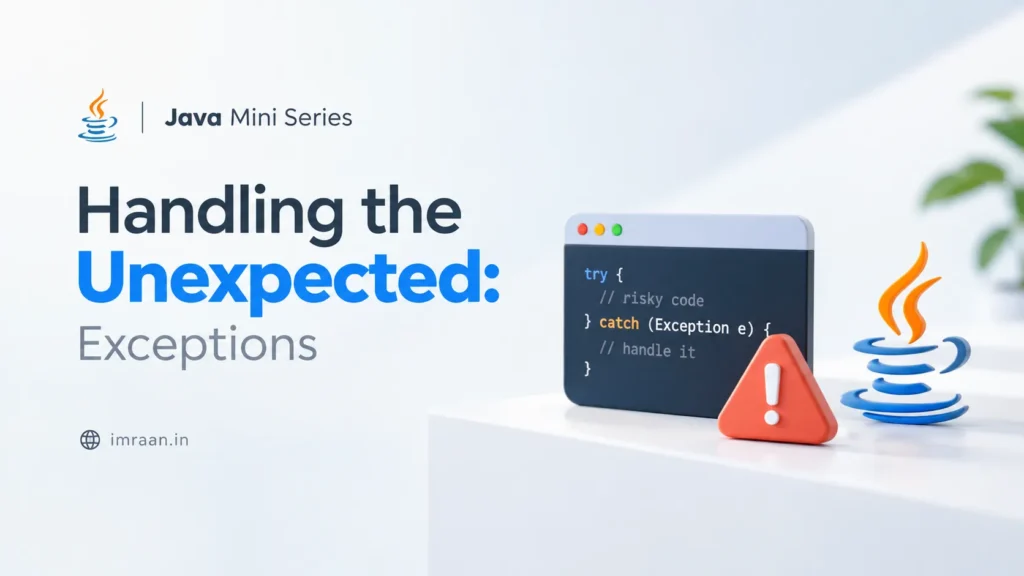
You have objects, methods, OOP design, and collections. Your happy path looks solid. Then a user types a blank password, a file is missing, or someone passes null where a Dog should be. The program does not politely shrug. It stops, or worse, limps along in a broken state.
Java’s answer is the exception: a signal that something went wrong, carried up the call stack until code that knows how to respond catches it. Once you know this, failures become messages you can act on instead of mysterious crashes.
Here is the picture, without the drama: what an exception is, how try/catch/finally works, checked vs unchecked in plain English, and when to catch versus when to let the problem travel upward.
The Core Idea: Fail Loudly, Handle Deliberately
An exception is an object that represents an abnormal condition. When something goes wrong, Java throws that object. The runtime then walks the stack of method calls looking for a matching catch. If nothing catches it, the thread (often your whole program) terminates with a stack trace.
-
throw = “something went wrong here; stop normal flow.”
-
catch = “I know how to deal with this specific problem.”
-
finally = “run this cleanup whether we succeeded or failed.”
Analogy: A fire alarm. Pulling it (throw) does not put out the fire. Someone trained for that alarm type (catch) responds. Evacuation drills that always run (finally) happen whether or not the fire department was needed.
Why Programs Fail (and What an Exception Looks Like)
Common beginner-facing exceptions you will meet early:
-
NullPointerException: you called a method onnull. -
IllegalArgumentException: a method got a value it refuses (negative deposit, empty name). -
IndexOutOfBoundsException: bad list/array index. -
FileNotFoundException: the file path does not exist (checked; more on that below).
public class Boom {
    public static void main(String[] args) {
        String name = null;
        // Throws NullPointerException: no object to call length() on
        System.out.println(name.length());
    }
}
That crash is not Java being mean. It is Java refusing to guess. Guessing with nulls is how silent bugs ship.
The Call Stack in One Minute
When main calls checkout, which calls chargeCard, Java stacks those frames. If chargeCard throws and does not catch, the exception bubbles to checkout, then to main, then out of the program if still uncaught.
The printed stack trace is that path in reverse: where it blew up, and who called whom. Read it from the top. The first of your classes listed is usually where to look.
try, catch, and finally
Concept: Wrap risky work in try. Handle specific problems in catch. Put guaranteed cleanup in finally.
public class WithdrawDemo {
    public static void main(String[] args) {
        BankAccount account = new BankAccount(100.0);

        try {
            account.withdraw(150.0); // may throw
            System.out.println("Withdraw OK");
        } catch (IllegalArgumentException ex) {
            // Handle: do not swallow silently
            System.out.println("Withdraw failed: " + ex.getMessage());
        } finally {
            System.out.println("Balance now: " + account.getBalance());
        }
    }
}

class BankAccount {
    private double balance;

    public BankAccount(double initialBalance) {
        this.balance = initialBalance;
    }

    public double getBalance() {
        return balance;
    }

    public void withdraw(double amount) {
        if (amount <= 0) {
            throw new IllegalArgumentException("Amount must be positive");
        }
        if (amount > balance) {
            throw new IllegalArgumentException("Insufficient funds");
        }
        balance -= amount;
    }
}
Notice the tie-back to encapsulation from the OOP post: validation lives inside withdraw. Exceptions are how that method refuses bad requests without returning magic numbers.
try-with-resources (Briefly)
When you open something that must be closed (files, network streams, a Scanner on a file), prefer try-with-resources. Java closes the resource for you, even if an exception flies.
import java.util.Scanner;

public class ReadName {
    public static void main(String[] args) {
        // Scanner implements AutoCloseable: closed automatically
        try (Scanner scanner = new Scanner(System.in)) {
            System.out.print("Your name: ");
            String name = scanner.nextLine();
            System.out.println("Hello, " + name);
        } // scanner.close() happens here, success or failure
    }
}
Checked vs Unchecked (Without the Scare Stories)
Java splits exceptions into two everyday buckets:
-
Unchecked (
RuntimeExceptionand subclasses): the compiler does not force you to catch or declare them. Examples:NullPointerException,IllegalArgumentException,IndexOutOfBoundsException. Often they mean a programming mistake or bad arguments. -
Checked (most other
Exceptionsubclasses): the compiler does require catch-or-declare. Examples:IOException,FileNotFoundException. These are problems a careful caller might reasonably recover from (retry, ask for another path, show a message).
Practical guidance: For your own validation APIs, IllegalArgumentException (unchecked) is usually right: callers passed bad data. For I/O and similar recoverable environmental failures, expect checked exceptions and either handle them or declare throws.
import java.io.FileReader;
import java.io.IOException;

public class ReadConfig {
    // Checked IOException must be caught OR declared
    public static void openConfig(String path) throws IOException {
        FileReader reader = new FileReader(path);
        reader.close();
    }

    public static void main(String[] args) {
        try {
            openConfig("config.txt");
        } catch (IOException ex) {
            System.out.println("Could not open config: " + ex.getMessage());
        }
    }
}
throw vs throws
-
throw(verb, inside a method): actually creates and fires an exception object. -
throws(in the method signature): warns callers that this method might propagate a checked exception they must handle or redeclare.
import java.io.IOException;

public class UserService {
    public void register(String email) throws IOException {
        if (email == null || email.isBlank()) {
            // throw: fire an unchecked validation failure
            throw new IllegalArgumentException("Email is required");
        }
        // Imagine writing to a file: may throw checked IOException
        saveToDisk(email);
    }

    private void saveToDisk(String email) throws IOException {
        // ... file write that can fail ...
        throw new IOException("Disk full (demo)");
    }
}
Do Not Swallow Exceptions
Empty catch blocks are a classic beginner trap. The program “works” until it does not, and you have no clue why.
// BAD: silence
try {
    riskyWork();
} catch (Exception ex) {
    // nothing: the bug hides here
}

// BETTER at this learning level: at least report it
try {
    riskyWork();
} catch (Exception ex) {
    System.out.println("Failed: " + ex.getMessage());
    // Later: use a real logger. For now, println is honest.
}
Catch the most specific type you can handle. Prefer IllegalArgumentException over blanket Exception when that is what you mean. If you cannot recover, let it propagate, or catch, log, and rethrow.
Optional: A Tiny Custom Exception
When a domain failure needs a clear name, subclass Exception (checked) or RuntimeException (unchecked). Keep it simple.
public class InsufficientFundsException extends RuntimeException {
    public InsufficientFundsException(String message) {
        super(message);
    }
}

// In BankAccount.withdraw:
// throw new InsufficientFundsException("Need " + amount + " but have " + balance);
Memory Hook & Recall Trigger
Memory Hook:
-
try = attempt the risky work.
-
catch = handle a known failure type.
-
finally / try-with-resources = cleanup that must happen.
-
throw = fire it; throws = warn about checked ones.
-
Never empty-catch. Silence is not handling.
Recall Trigger: Validation + exception + catch in one place. That is the pattern that replaces magic return codes.
class BankAccount {
    private double balance;
    public BankAccount(double balance) { this.balance = balance; }
    public double getBalance() { return balance; }
    public void deposit(double amount) {
        if (amount <= 0) {
            throw new IllegalArgumentException("Deposit must be positive");
        }
        balance += amount;
    }
}

public class DepositGuard {
    public static void main(String[] args) {
        BankAccount account = new BankAccount(50.0);
        try {
            account.deposit(-10.0); // will throw
            System.out.println("Deposited");
        } catch (IllegalArgumentException ex) {
            System.out.println("Rejected: " + ex.getMessage());
        } finally {
            System.out.println("Current balance: " + account.getBalance());
        }
    }
}
Practical Use: Exceptions in Real Systems
-
E-commerce: Reject invalid cart quantities with
IllegalArgumentException; catch payment I/O failures and show a retry message. -
User systems: Login methods throw on blank credentials; callers catch and return a clean error to the UI.
-
File / config loading: Checked
IOExceptionforces you to decide: abort startup, or fall back to defaults. -
APIs / Spring later: Controllers translate exceptions into HTTP status codes. Same idea, bigger stage. See Dependency Injection in Spring Boot when you are ready for the framework layer.
Retention Score: Do You Get It?
This closes the five-part Mini Series core. Check yourself.
-
Expert (90%): You can write try/catch/finally, explain checked vs unchecked in one sentence each, and know when to throw
IllegalArgumentExceptionfrom a validating method versus declaringthrows IOException. -
Getting It (75%): try/catch examples make sense. Checked vs unchecked still needs a glance at the list above, but you refuse empty catch blocks.
-
Review Needed (<60%):
throwvsthrowsblur together. Re-type theBankAccount.withdrawexample. Force a failure on purpose and read the stack trace from the top down.
Next Up: You now have the beginner backbone: classes, methods, OOP, collections, and exceptions. From here, a natural path is framework thinking: how Spring wires objects with Dependency Injection in Spring Boot, or going deeper on the JVM that runs all of this. Pick one lane and build something small that uses Lists, Maps, and deliberate exception handling.
Note: This is the fifth post in a five-part series. If a concept still wobbles, leave a comment. Collections and Exceptions are the pair that turn tutorial objects into applications that survive contact with reality.
Related reading: Java Collections, Java OOP principles, Java methods and control flow, Java classes and objects, Dependency Injection in Spring Boot, and the Java category.
Share this:

Related articles
Java Mini Series | The Workhorse: Collections and Common APIs
ArrayList, HashMap, List vs Set vs Map for Java beginners, with runnable Mini Series examples.
Java Mini Series | The Superpower: Core OOP Principles
Encapsulation, inheritance, polymorphism, and abstraction with runnable Java examples. Part of the Java Mini Series.
Java Mini Series | The Engine: Methods and Control Flow
Methods, parameters, and control flow in Java with clear examples. The engine layer after classes and objects.