By Imran M ·
· 7 min read
By Imran M ·
· 7 min read
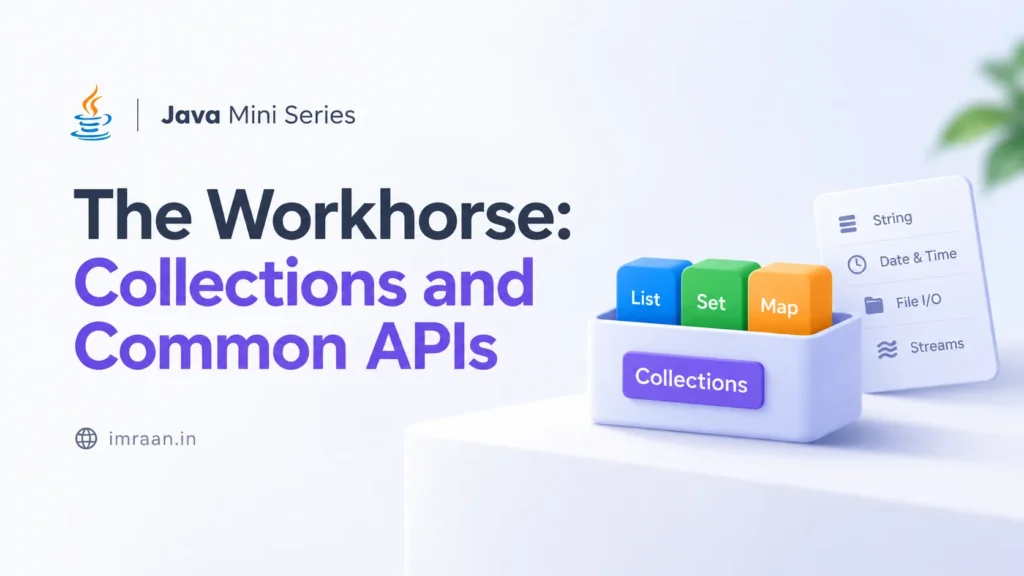
Java Mini Series | The Workhorse: Collections and Common APIs
ArrayList, HashMap, List vs Set vs Map for Java beginners, with runnable Mini Series examples.
You can design a clean Dog class. You can encapsulate a BankAccount. Then reality shows up: a kennel with fifty dogs, a catalog with thousands of products, a login system that looks up users by email. Suddenly one object is not enough. You need a way to hold many objects and work with them without drowning in array indexes.
That is what Java Collections are for. They are the workhorse of everyday Java: the tools professionals reach for when the problem is “a group of things,” not “one carefully built thing.”
Here is the picture we need: why arrays fall short, how List, Set, and Map differ, and a few common APIs that make collections pleasant to use.
The Core Idea: Containers With Rules
A collection is an object that holds other objects. The Java Collections Framework gives you interfaces (the contracts) and implementations (the actual containers).
-
List: ordered, allows duplicates, access by index. Default pick:
ArrayList. -
Set: no duplicates. Default pick:
HashSet. -
Map: keys map to values; keys are unique. Default pick:
HashMap.
Think of a List as a numbered bookshelf, a Set as a guest list that rejects repeat names, and a Map as a dictionary: look up a word (key) to get the definition (value).
Why Arrays Alone Are Not Enough
Arrays are fixed-size. You decide the length when you create them. Need room for one more dog? You allocate a bigger array and copy everything over. That gets old fast.
Collections grow (and often shrink) for you. They also give you clear methods (add, remove, contains, get) instead of hand-rolled loops for every mundane task.
String[] fixedKennel = new String[2];
fixedKennel[0] = "Fido";
fixedKennel[1] = "Rex";
// fixedKennel[2] = "Bella"; // Boom: ArrayIndexOutOfBoundsException

// With a List, you just add. Capacity is handled for you.
java.util.List<String> kennel = new java.util.ArrayList<>();
kennel.add("Fido");
kennel.add("Rex");
kennel.add("Bella"); // No drama.
List and ArrayList: Ordered Groups
Concept: A List keeps insertion order and allows the same value more than once. ArrayList is the implementation you will use most of the time.
Analogy: A playlist. Songs stay in the order you added them. The same song can appear twice if you want an encore.
We will keep using Dog from earlier in the series so the examples feel continuous.
import java.util.ArrayList;
import java.util.List;

public class Dog {
    private String name;

    public Dog(String name) {
        this.name = name;
    }

    public String getName() {
        return name;
    }
}

public class KennelDemo {
    public static void main(String[] args) {
        // Declare the interface type; construct the implementation.
        List<Dog> dogs = new ArrayList<>();

        dogs.add(new Dog("Fido"));
        dogs.add(new Dog("Rex"));
        dogs.add(new Dog("Fido")); // Duplicates are fine in a List

        System.out.println(dogs.size());          // 3
        System.out.println(dogs.get(0).getName()); // Fido
        dogs.remove(1);                           // Removes Rex
    }
}
Generics tip: List<Dog> means “a list of Dog objects.” The angle brackets tell the compiler (and you) what belongs inside. Prefer that over a raw List; it catches type mistakes early.
Set and HashSet: Uniqueness
Concept: A Set refuses duplicates. HashSet is the common default when order does not matter.
Analogy: A VIP guest list. “Alex” is either on it or not. Adding “Alex” again does nothing useful.
import java.util.HashSet;
import java.util.Set;

public class UniqueTags {
    public static void main(String[] args) {
        Set<String> tags = new HashSet<>();
        tags.add("java");
        tags.add("beginner");
        tags.add("java"); // Ignored: already present

        System.out.println(tags.size());     // 2
        System.out.println(tags.contains("java")); // true
    }
}
Use a Set when the question is “have I seen this already?” Examples: unique usernames, product SKUs, visited pages.
Map and HashMap: Keys to Values
Concept: A Map stores pairs. Each key points to one value. Keys must be unique; values can repeat. HashMap is the everyday implementation.
Analogy: A phone book. You look up a name (key) to get a number (value). Two people can share a number, but each name appears once as a key.
import java.util.HashMap;
import java.util.Map;

public class UserLookup {
    public static void main(String[] args) {
        Map<String, String> emailToName = new HashMap<>();
        emailToName.put("fido@kennel.com", "Fido");
        emailToName.put("rex@kennel.com", "Rex");

        String who = emailToName.get("fido@kennel.com");
        System.out.println(who); // Fido

        // Updating a value for an existing key
        emailToName.put("fido@kennel.com", "Fido the Brave");

        System.out.println(emailToName.containsKey("rex@kennel.com")); // true
    }
}
Maps are built for lookups: user id → profile, SKU → product, country code → tax rate. If you find yourself looping a List just to find one item by id, you probably wanted a Map.
Choosing the Right Collection
-
Need order and indexes? Use a
List(ArrayList). -
Need uniqueness? Use a
Set(HashSet). -
Need fast lookup by a key? Use a
Map(HashMap).
Declare variables as the interface (List<Dog>, not ArrayList<Dog>) so you can swap implementations later if performance needs change. For most beginner and mid-level code, ArrayList / HashSet / HashMap are the right defaults.
Walking the Collection: Enhanced for-Loop
Once you have a group, you need to visit each element. The enhanced for-loop (for-each) is the clean default when you do not need the index.
List<Dog> dogs = new ArrayList<>();
dogs.add(new Dog("Fido"));
dogs.add(new Dog("Rex"));

for (Dog dog : dogs) {
    System.out.println(dog.getName());
}

// Maps need a slightly different walk
Map<String, String> emailToName = new HashMap<>();
emailToName.put("fido@kennel.com", "Fido");

for (Map.Entry<String, String> entry : emailToName.entrySet()) {
    System.out.println(entry.getKey() + " -> " + entry.getValue());
}
Under the hood, many collections are Iterable, which is why for-each works. (Streams can process collections more declaratively later. Skip them for now; get comfortable with for-each first.)
A Few Common APIs Worth Knowing
You do not need an encyclopedia. A handful of helpers cover a surprising amount of day-one work.
import java.util.ArrayList;
import java.util.Collections;
import java.util.List;
import java.util.Objects;

public class CommonApisDemo {
    public static void main(String[] args) {
        List<String> names = new ArrayList<>();
        names.add("Rex");
        names.add("Bella");
        names.add("Fido");

        Collections.sort(names); // Alphabetical: Bella, Fido, Rex
        System.out.println(names);

        String label = "  Java Collections  ";
        System.out.println(label.trim().toLowerCase()); // "java collections"

        Dog dog = Objects.requireNonNull(new Dog("Fido"), "dog must not be null");
        System.out.println(dog.getName());
    }
}
Collections.sort sorts a List in place. String helpers like trim and toLowerCase show up constantly when cleaning input. Objects.requireNonNull fails fast with a clear message when a required reference is missing. Handy next to the validation habits from our control-flow and encapsulation posts.
Memory Hook & Recall Trigger
Memory Hook:
-
List = ordered shelf (duplicates OK).
-
Set = unique club membership.
-
Map = dictionary lookup (key → value).
-
Generics = label on the box:
List<Dog>holds dogs, not surprises.
Recall Trigger: This snippet ties List + Map + for-each together. It is a pattern you will keep rewriting as you build real apps.
import java.util.ArrayList;
import java.util.HashMap;
import java.util.List;
import java.util.Map;

public class PetShop {
    public static void main(String[] args) {
        List<Dog> inventory = new ArrayList<>();
        inventory.add(new Dog("Fido"));
        inventory.add(new Dog("Rex"));

        Map<String, Dog> byName = new HashMap<>();
        for (Dog dog : inventory) {
            byName.put(dog.getName(), dog);
        }

        Dog found = byName.get("Fido");
        System.out.println(found.getName()); // Fido
    }
}
Practical Use: Where Collections Show Up Immediately
-
E-commerce:
List<CartItem>for the cart;Map<String, Product>for SKU lookups. -
User systems:
Set<String>for unique roles;Map<String, User>keyed by email. -
Config / feature flags:
Map<String, Boolean>for name → enabled. -
APIs: JSON arrays become Lists; JSON objects become Maps (or typed classes).
Retention Score: Do You Get It?
Be honest before you move on to exceptions, the next piece of everyday Java.
-
Expert (90%): You can explain when to reach for List vs Set vs Map, write a
List<Dog>with for-each, and look up a value in aHashMapwithout hesitating. -
Getting It (75%): ArrayList and HashMap examples make sense. Choosing between Set and List still needs a pause, but you know duplicates and keys are the deciding factors.
-
Review Needed (<60%): Generics angle brackets or Map’s
put/getfeel fuzzy. Re-type the kennel and email-lookup examples. Swap the Dog List for aSet<String>of names and watch duplicates disappear.
Next Up: Groups of objects are great, until something goes wrong. Next we cover Handling the Unexpected: Exceptions (try/catch, checked vs unchecked) so failures become information instead of mystery crashes.
Note: This is the fourth post in a five-part series. Collections make real applications practical; exceptions keep those applications honest when the unexpected happens.
Related reading: Java classes and objects, Java methods and control flow, Java OOP principles, Java exceptions, and the Java category.
Share this:

Related articles
Java Mini Series | Handling the Unexpected: Exceptions
try/catch/finally, checked vs unchecked, and throw vs throws for Java beginners in the Mini Series.
Java Mini Series | The Superpower: Core OOP Principles
Encapsulation, inheritance, polymorphism, and abstraction with runnable Java examples. Part of the Java Mini Series.
Java Mini Series | The Engine: Methods and Control Flow
Methods, parameters, and control flow in Java with clear examples. The engine layer after classes and objects.