jQuery Form Validation Tutorial: Using jQuery Validate in Practice
How I set up jQuery form validation with the Validate plugin: rules and messages, class-based rules, submitHandler, a custom PIN code rule, remote username checks and dynamic rules, tested with jQuery 1.9.1 and Validate 1.11.1.

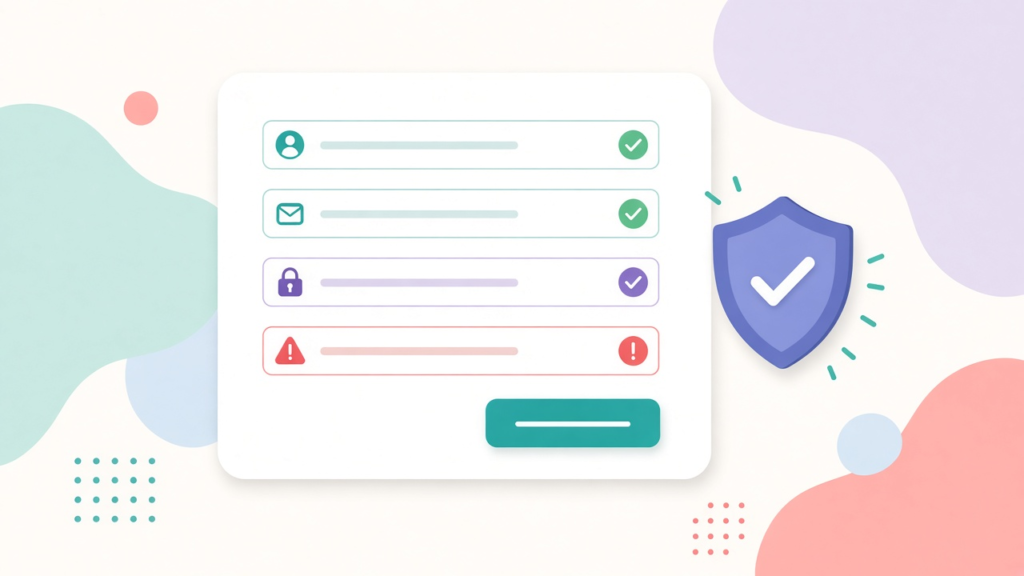
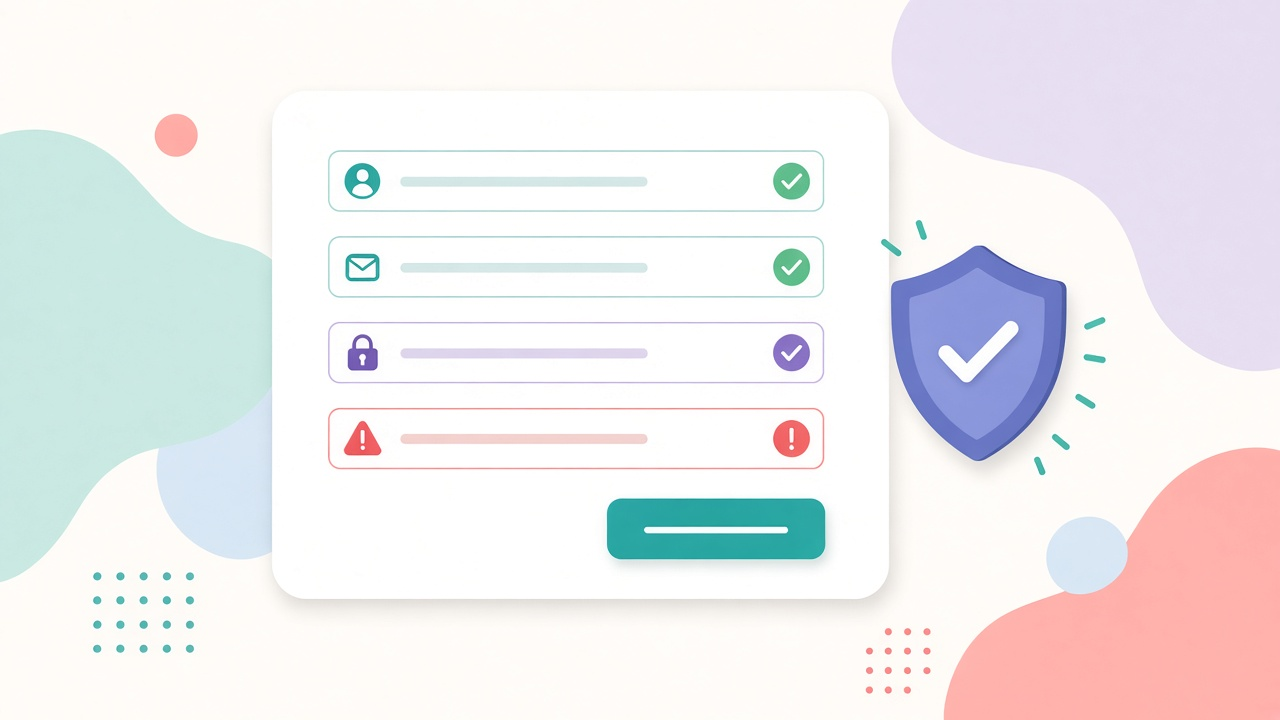
The question I get: “I have a sign-up form. I want it to show people what is wrong before they submit, without a hundred lines of if statements. It has to work in the browsers my visitors use. What is the least painful way?” For jQuery form validation in 2013, my answer is the Validate plugin by Jörn Zaefferer.
jQuery form validation with the Validate plugin means you describe each field’s rules once. The plugin handles the timing (on blur, on key press, on submit), the error labels and the focus. Its project page on GitHub links to the full option list. I cover the parts a real form needs, tested with jQuery 1.9.1 and Validate 1.11.1, with real output from the run.
HTML5 has built-in validation attributes too. Internet Explorer 9 and earlier ignore them, though, so a script-based approach still works for all visitors. The fixture form below has novalidate, so the browser’s own bubbles do not cover the plugin’s messages.
<form id="signup" action="/signup" method="post" novalidate>
  <input type="text" name="username" id="username">
  <input type="text" name="email" id="email">
  <input type="password" name="password" id="password">
  <input type="password" name="confirm" id="confirm">
  <input type="text" name="age" id="age">
  <input type="text" name="pin" id="pin">
  <input type="checkbox" name="terms" id="terms">
  <button type="submit">Create account</button>
Why I treat jQuery form validation as user interface
The plugin needs one thing from your markup. Every field needs a name, because the plugin keys rules by name.
My position: client-side validation is user interface, and server-side validation is the actual rule. The plugin does the first job very well. It cannot do the second, because anyone can switch JavaScript off or send a request by hand. Every rule you write here must also exist on the server, and the server must be the one that says no.
Step 1: jQuery form validation rules and messages
var validator = $('#signup').validate({
  rules: {
    username: { required: true, minlength: 4 },
    email:    { required: true, email: true },
    password: { required: true, minlength: 8 },
    confirm:  { equalTo: '#password' },
    age:      { digits: true, range: [18, 99] },
    terms:    { required: true }
  },
  messages: {
    username: { minlength: 'Pick a username of at least 4 characters.' },
    terms: 'You must accept the terms.'
  }
});

console.log('valid on an empty form?', $('#signup').valid());
console.log('invalid fields:', validator.numberOfInvalids());
$('#signup label.error').each(function () {
  console.log(' -', $(this).attr('for') + ':', $(this).text());
});
valid on an empty form? false
invalid fields: 4
- username: This field is required.
- email: This field is required.
- password: This field is required.
- terms: You must accept the terms.Every jQuery form validation setup starts the same way. You call .validate() once on the form, with a rules object keyed by field name. messages overrides the defaults for specific rules. A plain string, as for terms, replaces the message for the field’s only rule. Calling .valid() on the form runs every rule and returns true or false. Here it returned false, and the plugin counted 4 invalid fields. Notice which fields it did not flag. confirm and age were empty and not required, and the plugin treats an empty optional field as valid. That matters later, for custom rules.
Step 2: what bad data looks like
$('#signup').validate({
  rules: {
    username: { required: true, minlength: 4 },
    email:    { required: true, email: true },
    password: { required: true, minlength: 8 },
    confirm:  { equalTo: '#password' },
    age:      { digits: true, range: [18, 99] },
    terms:    { required: true }
  }
});

function report() {
  $('#signup label.error').filter(function () { return $(this).css('display') !== 'none' && $(this).text() !== ''; }).each(function () {
    console.log(' -', $(this).attr('for') + ':', $(this).text());
  });
}

$('#username').val('ana');
$('#email').val('ana.example.com');
$('#password').val('secret123');
$('#confirm').val('secret124');
$('#age').val('17');
$('#terms').prop('checked', true);
$('#signup').valid();
report();

$('#username').val('ana_dev');
$('#email').val('ana@example.com');
$('#confirm').val('secret123');
$('#age').val('29');
console.log('valid after fixing everything:', $('#signup').valid());
- username: Please enter at least 4 characters.
- email: Please enter a valid email address.
- confirm: Please enter the same value again.
- age: Please enter a value between 18 and 99.
valid after fixing everything: trueThis run fills in values that are present but wrong. It uses a three-letter username, an email with no @, a mismatched password confirmation and an age under 18. Each failure gets its own default message. The terms checkbox passed, since I had ticked it. Once I corrected the values, the same call returned true. The built-in methods I use most are required, email, url, digits, number, minlength, maxlength, range and equalTo.
Step 3: rules declared in the HTML
// Rules come from classes and attributes in the HTML: class="required email", minlength="3"
$('#contact').validate();

function report() {
  $('#contact label.error').filter(function () { return $(this).css('display') !== 'none' && $(this).text() !== ''; }).each(function () {
    console.log(' -', ($(this).attr('for') || $(this).prev().attr('name')) + ':', $(this).text());
  });
}

console.log('first pass, all empty:');
$('#contact').valid();
report();

console.log('second pass, with bad values:');
$('#contact input[name=name]').val('Al');
$('#contact input[name=mail]').val('a@b.co');
$('#contact input[name=site]').val('example.com');
$('#contact').valid();
report();
first pass, all empty:
- name: This field is required.
- mail: This field is required.
second pass, with bad values:
- name: Please enter at least 3 characters.
- site: Please enter a valid URL.For simple forms, you can skip the rules object entirely. The plugin reads the field’s classes (class="required email") and attributes (minlength="3") from the markup. Then you call .validate() with no arguments. The trade-off is readability. Rules next to the field are easy to maintain. Anything that needs custom messages, a dependency or a remote check belongs in the rules object.
Step 4: do the work only on valid submits
var submitted = 0, invalid = 0;
$('#signup').validate({
  rules: { username: 'required', email: { required: true, email: true } },
  invalidHandler: function (event, validator) { invalid += 1; },
  submitHandler: function (form) {
    submitted += 1;          // only reached when every rule passes
    // $.ajax({ url: form.action, type: 'POST', data: $(form).serialize() });
  }
});

$('#signup').submit();
console.log('empty submit  -> submitHandler calls:', submitted, '| invalidHandler calls:', invalid);

$('#username').val('ana_dev');
$('#email').val('ana@example.com');
$('#signup').submit();
console.log('valid submit  -> submitHandler calls:', submitted, '| invalidHandler calls:', invalid);
empty submit -> submitHandler calls: 0 | invalidHandler calls: 1
valid submit -> submitHandler calls: 1 | invalidHandler calls: 1submitHandler runs only when every rule passes. On the empty submit, the plugin blocked the form and invalidHandler ran once. On the valid submit, the handler ran once. Put your AJAX call here, with $(form).serialize() as the data, as in my jQuery AJAX tutorial. Without submitHandler, the plugin lets the browser submit the form normally once it is valid. One trap: inside submitHandler, call form.submit() on the DOM element for a normal post. Do not call $(form).submit(), which triggers validation again and loops.
Step 5: your own rules
// Indian PIN code: six digits, first digit not zero
$.validator.addMethod('pincode', function (value, element) {
  return this.optional(element) || /^[1-9][0-9]{5}$/.test(value);
}, 'Please enter a valid 6-digit PIN code.');

$('#signup').validate({ rules: { pin: { pincode: true } } });

$.each(['', '411001', '011001', '4110', 'abc123'], function (i, value) {
  $('#pin').val(value);
  var ok = $('#pin').valid();
  console.log(JSON.stringify(value), '->', ok ? 'valid' : $('#signup label.error[for=pin]').text());
});
"" -> valid
"411001" -> valid
"011001" -> Please enter a valid 6-digit PIN code.
"4110" -> Please enter a valid 6-digit PIN code.
"abc123" -> Please enter a valid 6-digit PIN code.$.validator.addMethod(name, fn, message) registers a new rule, and the name then works in rules like any built-in. The example is an Indian PIN code: six digits, and the first digit is not zero. Remember the line this.optional(element) ||. It lets an empty field pass, which is why the empty string above counted as valid. Without it, your custom rule quietly makes the field required. If you want the field required, add required: true as a separate rule. The user then sees the right message for each problem.
Step 6: ask the server with remote
$('#signup').validate({
  rules: {
    username: {
      required: true,
      remote: '/username'      // sends ?username=<value>, expects true or false as JSON
    }
  }
});

function check(value, done) {
  $('#username').val(value);
  $('#username').valid();                       // starts the request
  $(document).one('ajaxStop', function () {     // response arrived and was processed
    console.log(JSON.stringify(value), '->', $('#username').valid() ? 'valid' : 'invalid: ' + $('#signup label.error[for=username]').text());
    if (done) done();
  });
}

check('taken', function () { check('freshname'); });
"taken" -> invalid: Please fix this field.
"freshname" -> validClient-side jQuery form validation cannot check some rules. “Is this username already taken?” needs the database. The remote rule sends the field’s value to your URL as a query string (?username=taken). It expects JSON true for valid or false for invalid. A string response becomes the error message. The default message for false is a generic “Please fix this field”, so set a specific one in messages, for example remote: 'That username is taken.'. The browser does not wait. The check runs in the background, and the plugin re-evaluates when the response arrives. My test waited for the request to finish for the same reason.
Step 7: change rules on the fly
var v = $('#signup').validate();
$('#email').rules('add', { required: true, email: true, messages: { email: 'That does not look like an email.' } });
console.log('rules on #email:', JSON.stringify($('#email').rules()));
$('#email').val('nope');
console.log('valid?', $('#email').valid(), '|', $('#signup label.error[for=email]').text());

$('#email').rules('remove', 'email');
console.log('after removing email rule, valid?', $('#email').valid());

v.resetForm();
console.log('after resetForm, visible error labels:', $('#signup label.error').filter(function () { return $(this).css('display') !== 'none'; }).length);
rules on #email: {"required":true,"email":true}
valid? false | That does not look like an email.
after removing email rule, valid? true
after resetForm, visible error labels: 0You can add and remove rules after setup with .rules('add', …) and .rules('remove', …). That keeps jQuery form validation in step with forms where one answer changes what comes next. A “company name” field might be required only for a business account. resetForm() clears the error state, which helps after a successful AJAX submit. Without it, a reused form still shows the last round’s errors.
Where the messages come from
$.each(['required', 'email', 'url', 'digits', 'equalTo', 'minlength', 'maxlength', 'range'], function (i, name) {
  var m = $.validator.messages[name];
  console.log(name + ':', typeof m === 'function' ? '(function)' : m);
});
required: This field is required.
email: Please enter a valid email address.
url: Please enter a valid URL.
digits: Please enter only digits.
equalTo: Please enter the same value again.
minlength: (function)
maxlength: (function)
range: (function)The default texts live in $.validator.messages. The messages for minlength, maxlength and range are functions, because they fill in the number from your rule (“at least 4 characters”). You can replace any of them once for the whole site with $.extend($.validator.messages, { required: '…' }). The same call translates your jQuery form validation messages into another language.
Troubleshooting jQuery form validation
| Symptom | Cause | Fix |
|---|---|---|
| Rules for a field are ignored | The field has no name attribute |
Add name; rules are keyed by it |
| Hidden fields never validate | The plugin ignores hidden fields by default | Set ignore: [] if you really need them |
Field named user[name] breaks the rules object |
Brackets are not a valid bare key | Quote the key: 'user[name]': { required: true } |
| Form submits without validation | Script calls form.submit() directly, or .validate() never ran |
Call .valid() first; initialise on page load |
| Browser bubbles and plugin messages both appear | HTML5 validation runs too | Add novalidate to the form |
| Custom rule makes an optional field required | Missing this.optional(element) || |
Add it as the first test |
| Remote rule never passes | Server returns text or HTML instead of JSON true |
Return exactly true or false as JSON |
How I run jQuery form validation on real sites
- Two layers with the same rules. The server owns the rules, and jQuery form validation is the copy. I keep the client copy in step, so the browser never accepts what the server will reject.
- Messages written for people. I replace the defaults with specific text (“Use at least 8 characters, including a number”). Errors sit next to the field, not in an alert box.
- Remote checks on blur. Username and email checks run when the field loses focus, not on every key press. The server does not get a request for every letter.
- Double-submit protection. I disable the submit button inside
submitHandlerand re-enable it when the request ends. The click handling behind that is in my notes on jQuery event handling.
The validation gap I see most often is a rule that lives only in the browser. A form checks the email format in jQuery, but the server accepts anything. Then a mobile app or a script posts straight to the endpoint, and junk rows pile up in the database. The fix is boring and reliable. I write the server rule first, then copy the format checks to the client. When a rule changes, I change it on the server first and treat the client copy as a convenience.
How much validation, and where
- What must be true for the data to be accepted? Write that list for the server first.
- Which rules help the user immediately? Format checks (email, digits, length) belong on the client too.
- Which rules need the server? Check uniqueness and anything that touches a database with
remoteor at submit. - What happens on failure? Decide the message, its position and which field gets focus.
- What happens on success? Disable the button, show progress, reset the form after saving.
When not to use the plugin
- A one-field form. A single email box does not need a plugin. A few lines of your own code do the job.
- When the server is the only judge. For complex business rules, show the server’s messages instead of copying the logic into JavaScript.
- Security checks. Client validation cannot stop malicious input. It only guides honest users.
Common form validation mistakes
- Trusting client-side validation. Validate again on the server.
- Calling
.validate()on the button. Call it on the form. - Forgetting the
nameattribute. The rule silently does nothing. - Using
$(form).submit()insidesubmitHandler. It loops. Useform.submit(). - Skipping
this.optional(element)in custom methods. Optional fields become required. - Leaving the default messages. They are generic and not friendly.
FAQ
How do I validate a form with jQuery?
Include the jQuery Validate plugin after jQuery and give every field a name. Then call $('#form').validate({ rules: { … }, messages: { … } }). The plugin shows inline errors on blur, on key press and on submit. It blocks submission until the rules pass.
How do I run code only when the form is valid?
Use the submitHandler option. The plugin calls it only when all rules pass, with the form element as its argument. That makes it the right place for an AJAX call with $(form).serialize(). Use invalidHandler to react to a failed attempt.
How do I add a custom validation rule in jQuery Validate?
Register it with $.validator.addMethod('name', function (value, element) { return this.optional(element) || test(value); }, 'Message'). Then use name: true in your rules. The this.optional(element) check keeps empty fields valid unless you also mark them required.
How do I check a username on the server while the user types?
Add remote: '/check-username' to the field’s rules. The plugin sends the value as a query parameter and expects JSON true or false. Add a specific message under messages. Set onkeyup: false so the check runs on blur instead of on every key press.
Is jQuery form validation enough to keep my data safe?
No. Anyone can disable or bypass client-side jQuery form validation, so it only helps honest users. The server must repeat every rule and treat all input as untrusted, whatever the browser did.
A good form tells people what is wrong while they can still fix it, and a good server never believes the browser. The Validate plugin gives you the first part with very little code. My rule of thumb for jQuery form validation: write each rule twice, once to help the user and once to protect the server, and trust only the second.
Originally posted on 23 July 2013 and post last modified on 2 November 2026
Related articles
How to Add jQuery to a Next.js App
Install jQuery from npm and load it only in the browser: a dynamic import inside useEffect, next/dynamic with…
How can I parse a string with a comma thousand separator to a number?
This is useful when we need to do calculations based on the user input. For formatting the entered…
jQuery Performance Optimization for Enhanced User Experience
As the digital world becomes increasingly sophisticated, developers must continuously hone their skills to keep up with these…