 By Imran M ·
· 4 min read
By Imran M ·
· 4 min read
AI Image Generation Models: How to Evaluate and Choose in 2026
Evaluate AI image models with a concrete rubric: adherence, edits, typography, licensing, ops. Then compare GPT Image, Gemini, Midjourney, FLUX, Recraft-class tools.

Image model roundups go stale when they only list logos. This rewrite keeps five practical options for 2026, but the point is the evaluation criteria and how I pick a default for product work versus art direction. Use the checklist first; treat the model names as current exemplars, not eternal winners.
Evaluation criteria (score these, then pick)
- Prompt adherence: multi-object scenes, counts, spatial relations (“left of”, “behind”). Fail a model that drops constraints.
- Editability: img2img, inpaint, mask quality, instruction edits without destroying identity.
- Typography and layout: legible text, logos, UI mock fidelity. Most generalists still fail here; specialists matter.
- Consistency: same character/product across a set (seed, reference packs, or native identity features).
- Licensing and data policy: commercial terms, training-data posture, region residency for enterprise.
- Integration cost: API latency, price per megapixel, queue limits, VPC / VPC endpoints, moderation defaults.
- Ops surface: hosted API vs self-host GPU (Kubernetes, drivers, batching). Open weights win control and lose convenience.
- Eval harness: a fixed prompt suite with rubrics your team scores weekly. Without this you are optimizing for Twitter screenshots.
I keep a 30-prompt golden set (products, people, text-in-image, brand color, negative space) and score 1 to 5 blind. Ship the model that wins your suite, not the one with the flashiest launch post.
1. OpenAI GPT Image family (API / ChatGPT)
Lane: generalist production API inside OpenAI-heavy stacks.
- Strengths: strong instruction following, multimodal inputs (text + image + mask patterns depending on endpoint), easy wiring next to chat agents.
- Weaknesses: cost at volume; less control than self-hosted weights; moderation and policy changes can alter pipelines overnight.
- Use when: you already bill OpenAI, need decent adherence, and prefer zero GPU ops.
- Skip when: you need vector logos or strict brand kits; test Recraft-class tools instead.
2. Gemini image stack (Google)
Lane: instruction edits and Google Cloud-centric teams.
- Strengths: iterative editing with semantic instructions; strong when the workflow is “tweak this asset” rather than pure text-to-image; fits GCP IAM and Vertex-style deployments.
- Weaknesses: product naming moves fast; pin model ids in config, not in tribal memory.
- Use when: editors live in Google Workspace/Cloud and you care about controlled revises.
- Eval focus: identity persistence across five edits; color drift against brand hex.
3. Midjourney (current default generation model)
Lane: art direction, concept, mood boards. Not your first backend automation choice.
- Strengths: taste, lighting, stylization; humans still prefer it for exploration.
- Weaknesses: weaker fit for deterministic pipelines and strict brand systems; automation story differs from pure REST image APIs.
- Use when: creative leads explore; then recreate winners in an API model for production SKUs if needed.
4. FLUX-class open weights (Black Forest Labs lineage)
Lane: self-host or gateway (fal.ai-class) when you need control, LoRAs, and photoreal baselines.
- Strengths: personalization via LoRA/adapters; deploy in your VPC; choose quantizations for cost/latency.
- Weaknesses: you own GPUs, drivers, autoscaling, and safety filters. Kubernetes helps, but it is still ops work.
- Use when: product shots must match a private catalog; compliance wants weights in-region.
- Pair with: a thin eval job in CI that regenerates the golden set on each model bump.
5. Recraft-class design models
Lane: marketing graphics, icons, text-heavy layouts, vectors.
- Strengths: typography and brand-consistent sets where general LLMs smear letters.
- Weaknesses: not the best pure photoreal generator; keep a second model for photos.
- Use when: ads, icon systems, packaging drafts that must remain editable.
Decision tree I actually use
- Need vectors or on-brand text? Start Recraft-class; verify license.
- Need private LoRA on SKUs? FLUX-class open weights or equivalent self-host.
- Need fast agent-driven mocks in an OpenAI app? GPT Image API.
- Need iterative edits in GCP? Gemini image path.
- Need cinematic exploration with a human in the loop? Midjourney, then productionize elsewhere.
Pipeline tips (non-brochure)
- Store prompt, seed, model id, params, and output hash next to the asset in object storage. Without that you cannot reproduce a complaint.
- Separate explore and produce models. Exploring on Midjourney and fulfilling on an API model is normal.
- Put moderation and brand checks after generation in your own code. Vendor filters are not your brand guide.
- For agent automation, expose generation through MCP tools with strict allowlisted sizes and folders; see also agent harnesses for timeouts and spend caps.
- Budget eval time. A half-day golden-set review beats a month of anecdotal Slack debates.
Models will rename again. Criteria travel better than listicles. Keep five seats in the matrix if you want, but promote and demote them only when your scored suite says so.
Post updated on 26th September 2026.
Share this:

Related articles
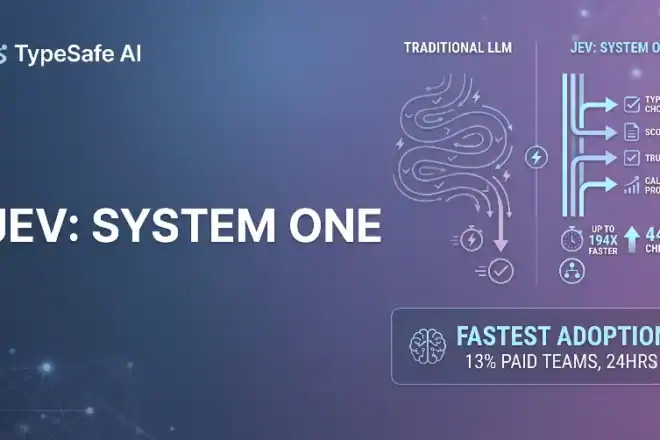
Jev AI Model: The Fastest Adopted Model in AI Gateway History
Jev reached nearly 13% of paid AI Gateway teams unusually fast. Here is what that adoption curve means…
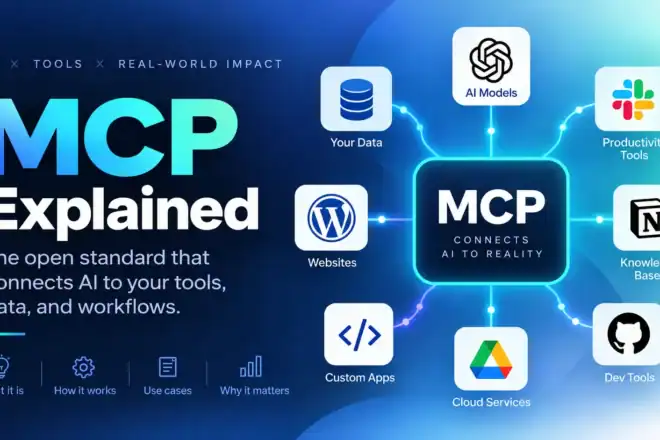
MCP Explained: Model Context Protocol Guide
MCP standardizes how apps expose tools, resources, and prompts to LLMs. This guide covers architecture, security, and working…
AI Agent Harnesses, Explained
The model is the brain; the harness is the room it works in. A field guide to loops,…

Solid rundown of the enterprise image models. Curious which one you’re actually shipping with day to day.
Most of my workflows are powered by Nanobanana. Though i can see promising results with qwen models. I might give it a try.
Solid rundown of image models that actually ship in enterprise stacks. The practical filters saved us a long debate.
Sharing the prod-stack model notes with our creative ops channel. They care about licensing and latency more than demos.
The five-model shortlist had a couple of production caveats I had not seen elsewhere. Useful for our vendor sheet.
Enterprise image model picks finally feel grounded. We were debating hosted APIs with no real criteria before.
Our design team keeps asking which image models actually survive enterprise review. Your shortlist answers that without hype.